November 25th, 2025
Retake course assessments, Create in-person events, and more...
We are excited to announce several new features and key updates designed to enhance course management, learner enrolment, and the overall learning experience on the platform.
1. Course Retake Quizzes Feature
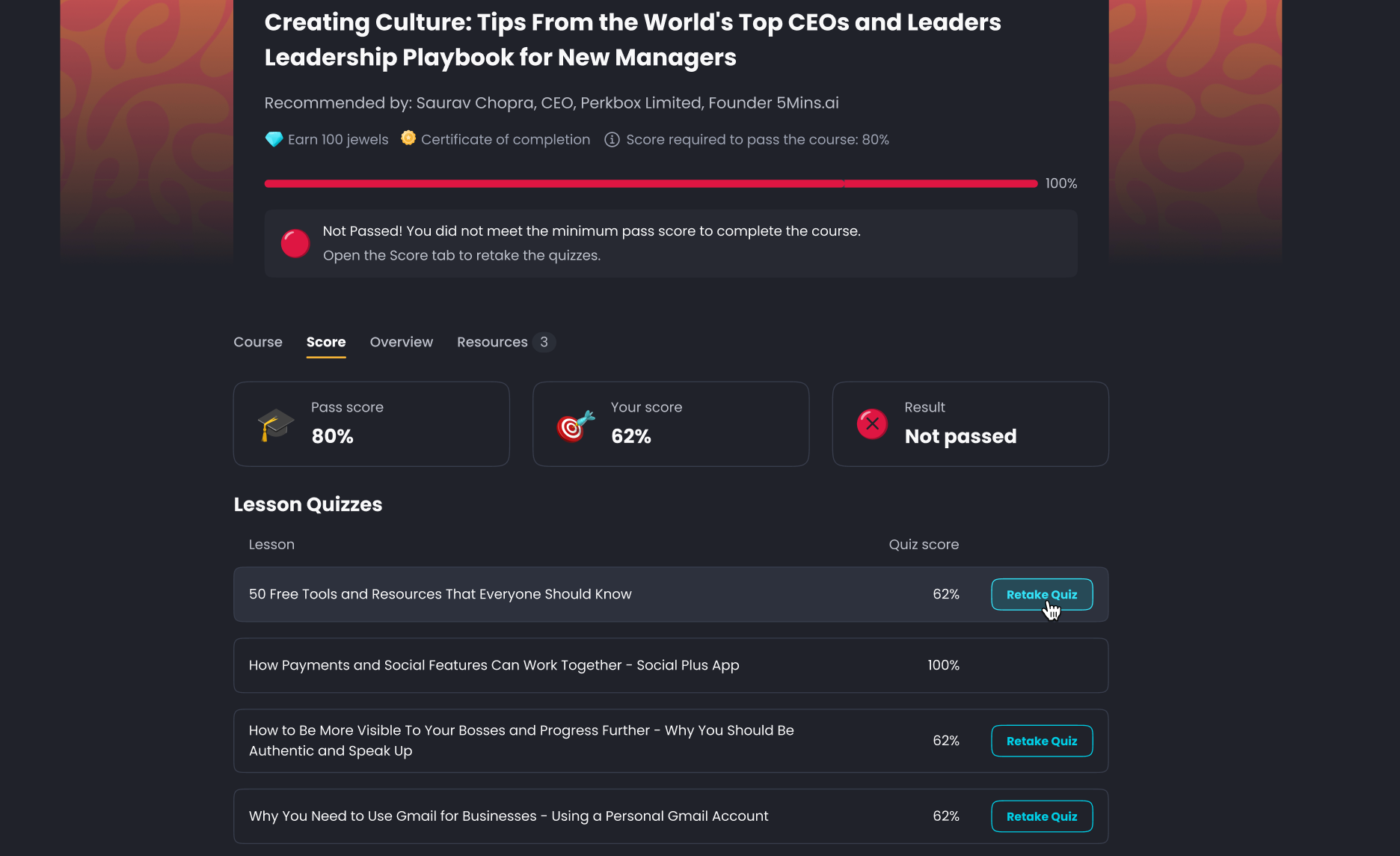
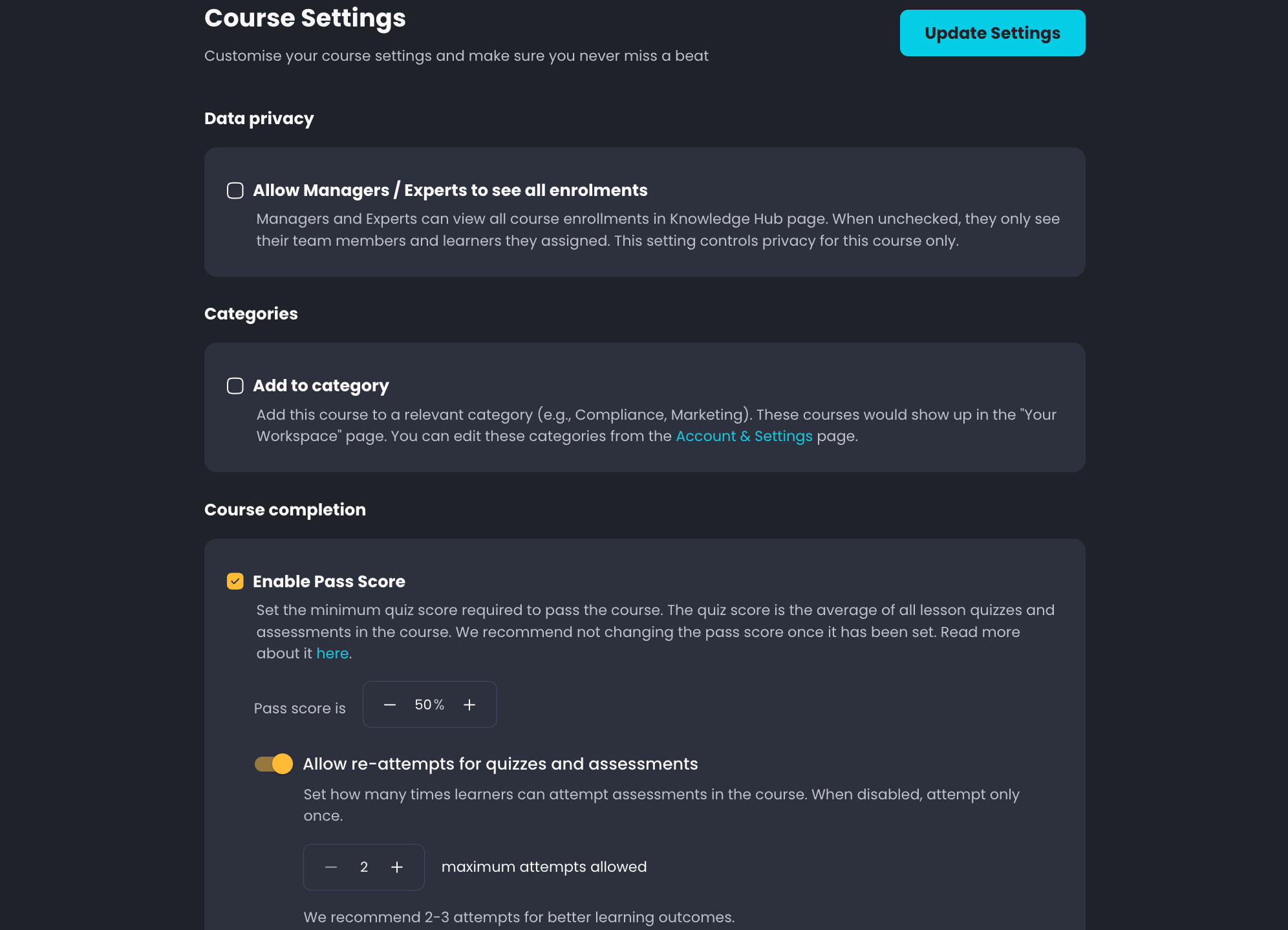
Admins can now allow learners to retake failed courses without a full re-enrolment, significantly improving the learning flow for compliance and refresher courses.
Functionality: If a course pass score is enabled, users are automatically granted two to three attempts to retake failed lesson quizzes, situational tests, and multiple-choice assessments.
Reporting: Admin scores are automatically aligned to the latest attempt.
Availability: Currently available on the web, with mobile app support planned for the next release.
2. In-person Events
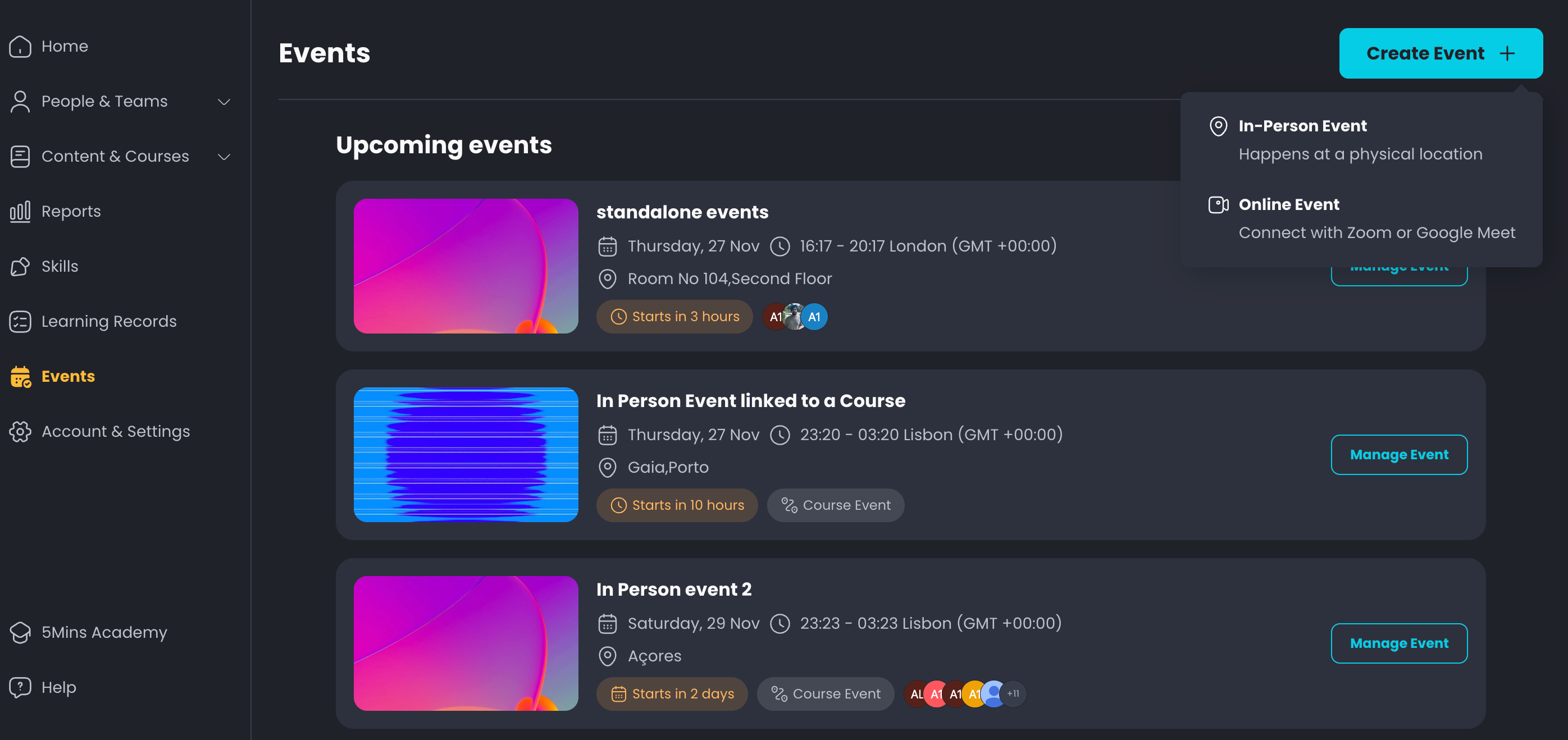
A dedicated Events feature has been released to manage both in-person and online events, supporting a blend of self-paced learning and live sessions.
Current Release: Standalone events can be created and managed now.
Attendance Tracking: Learners can select which session they want to attend, and Admins can manage attendance and download a report.
Coming Next: Course events will be introduced in the next release, enabling 'flipped classroom' functionality by embedding live events directly inside a course.
3. Audio as a Lesson Type
A new lesson type allows Admins to upload audio files directly to the platform, expanding content possibilities, particularly for sales enablement.
Admin Upload: Easily upload and create audio lessons.
Learner Experience: Users will see a waveform while the audio is playing and can listen in the background without needing to keep the platform open.
Use Case: This is especially useful for uploading sales calls or other recorded content for on-demand training, with the ability to auto-generate quizzes.
4. Sign up with Code
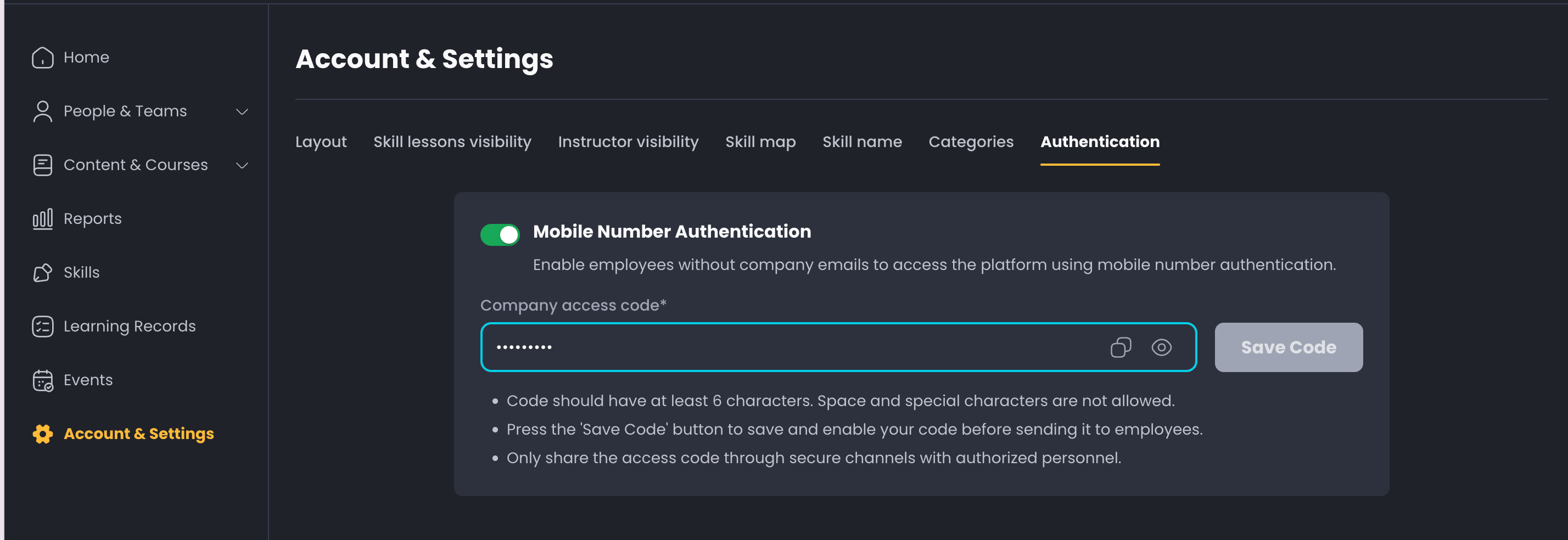
A new method for user registration is now available. Users can now sign up using a mobile number and an access code, eliminating the requirement for an email address. This is particularly helpful for companies where a lot of their employees do not user emails for their employment.
Simply head to Account & Settings to activate “Mobile Number Authentication”
5. Enhanced Learner Management & User invitations
Cohorts: Cohorts are now under People & Teams section for better visibility. This allows Admins to easily create and add learners to a cohort for better management and reuse across courses.
Optional Fields for Users: When inviting users, new optional fields for "region" and "join date" are now available. These fields can be included in the CSV template for bulk uploads to simplify automation processes and reduce the need for external integrations.
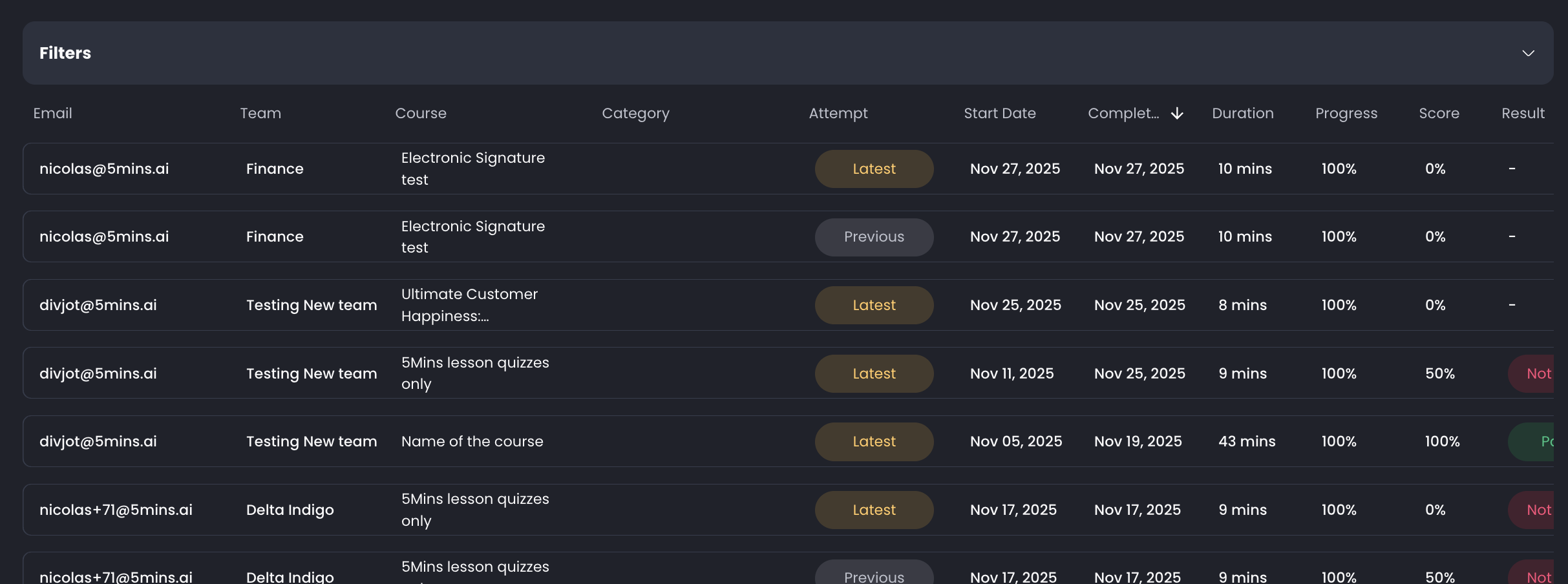
Learning Records Update: Learning records now include an "attempt" label to clearly indicate if a record is the latest enrolment or a previous one, which helps to address confusion when a user has multiple enrolments in the same course.