September 3rd, 2026
This release introduces user deactivation, a full audit log, and custom course thumbnails for admins.
What's New
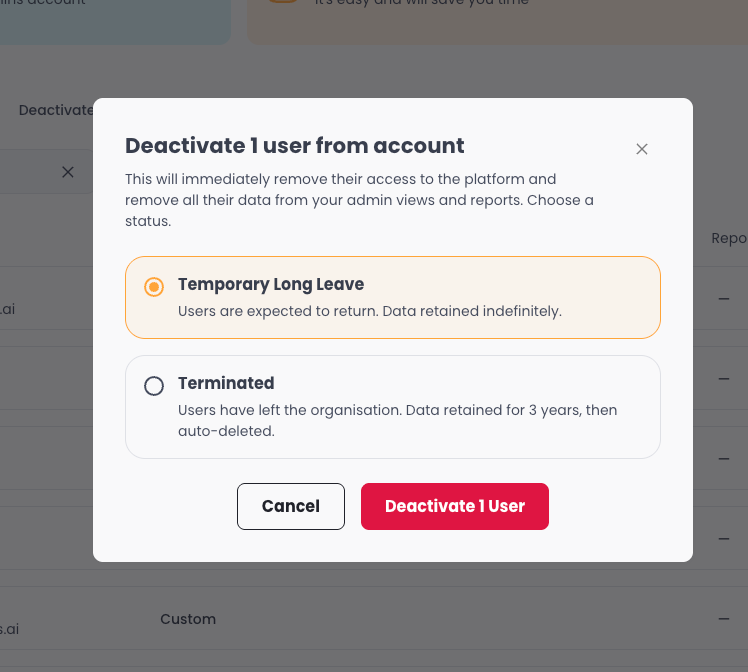
User Deactivation - Admins can now deactivate users instead of deleting them, preserving their learning history and enrolment data. A new Deactivated tab lets admins view, search, reactivate, or change the status of deactivated users.
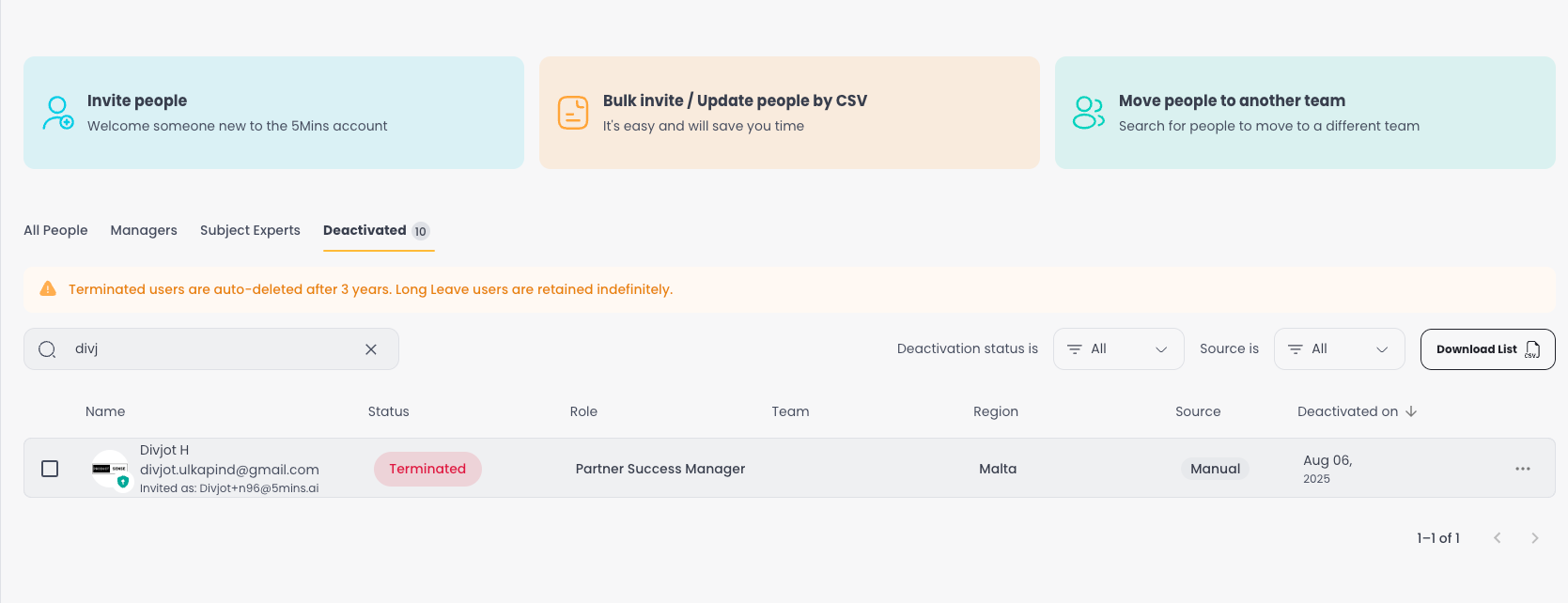
For HRIS-connected tenants, deactivations sync automatically with a source badge showing where the action originated.
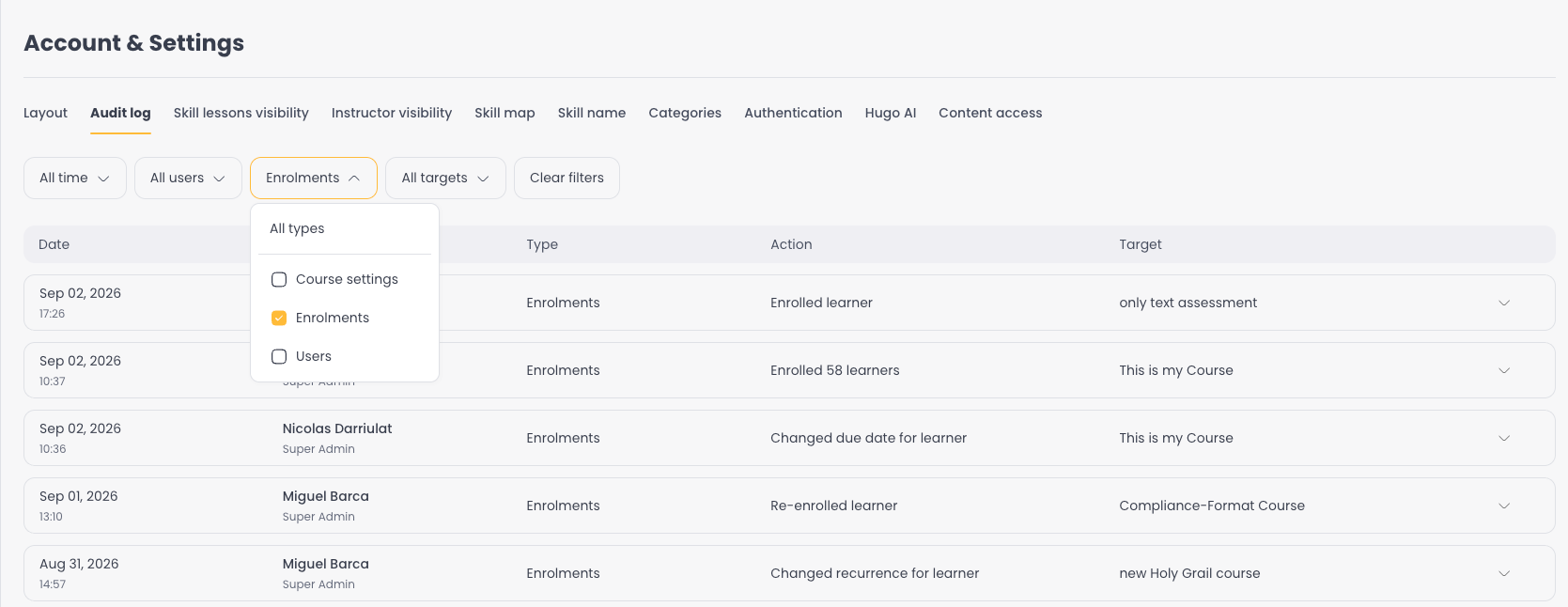
Audit Log - A new Audit Log page under Account & Settings tracks key admin actions across the platform. This first rollout covers enrolment changes and user activity, giving admins a clear trail of who did what and when.
Course Thumbnails - Just like lesson thumbnails, admins can now set custom thumbnails for courses. Upload your own image, generate one with AI, or browse a stock image library.
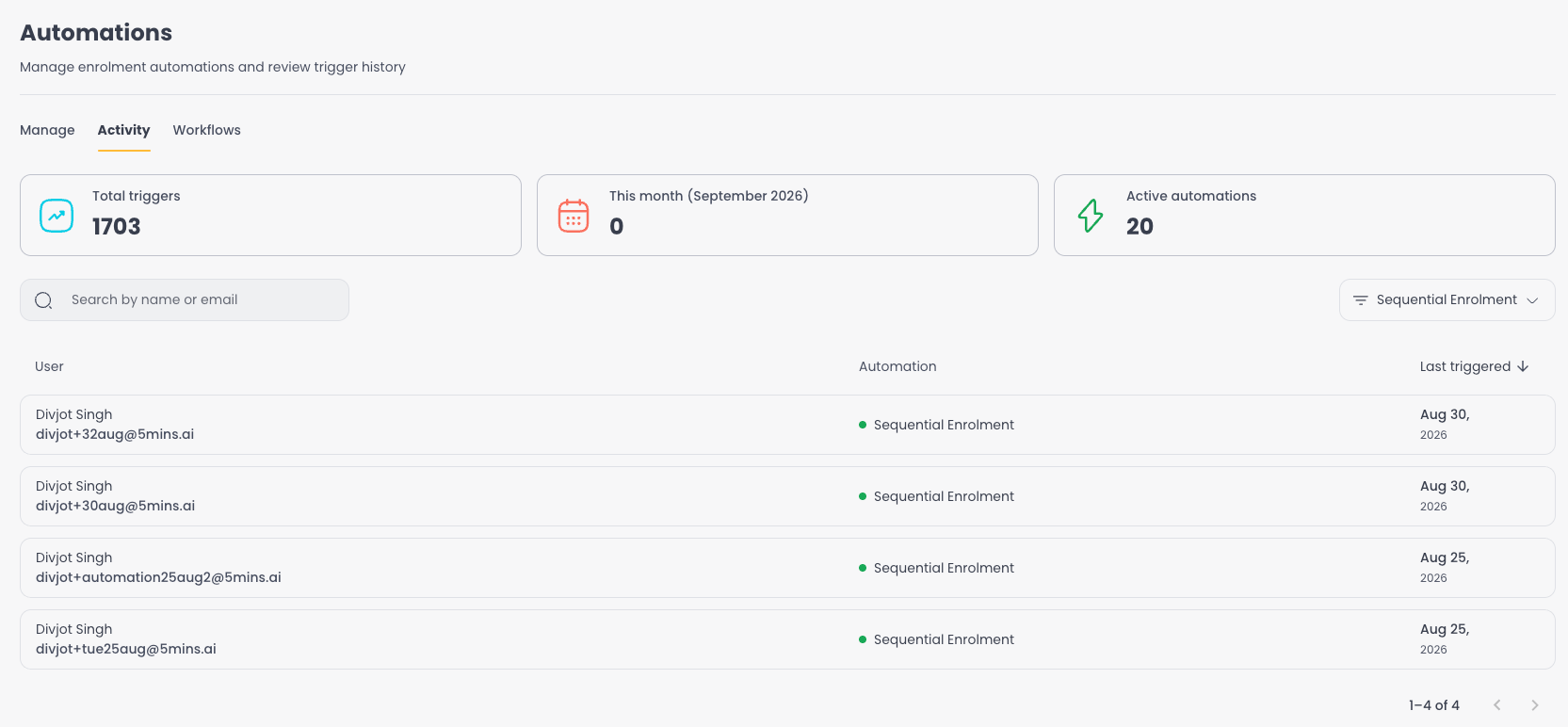
Automation Activity Feed - Automations now include an Activity tab showing a history of every trigger, so admins can see exactly when each user was processed and troubleshoot without guesswork.
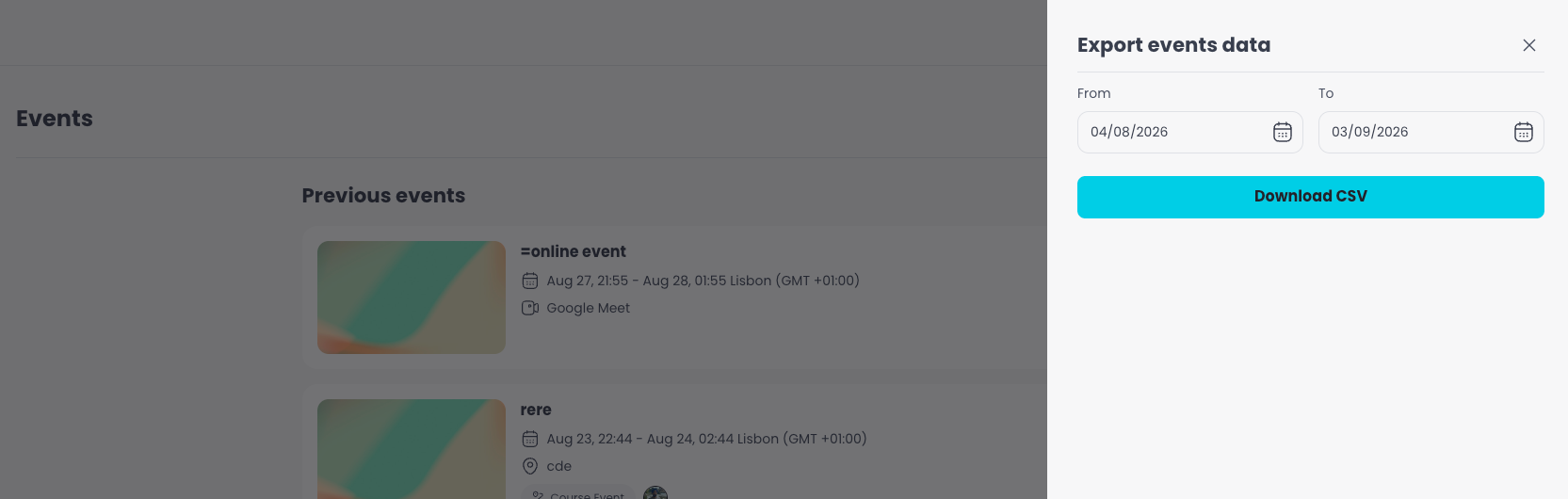
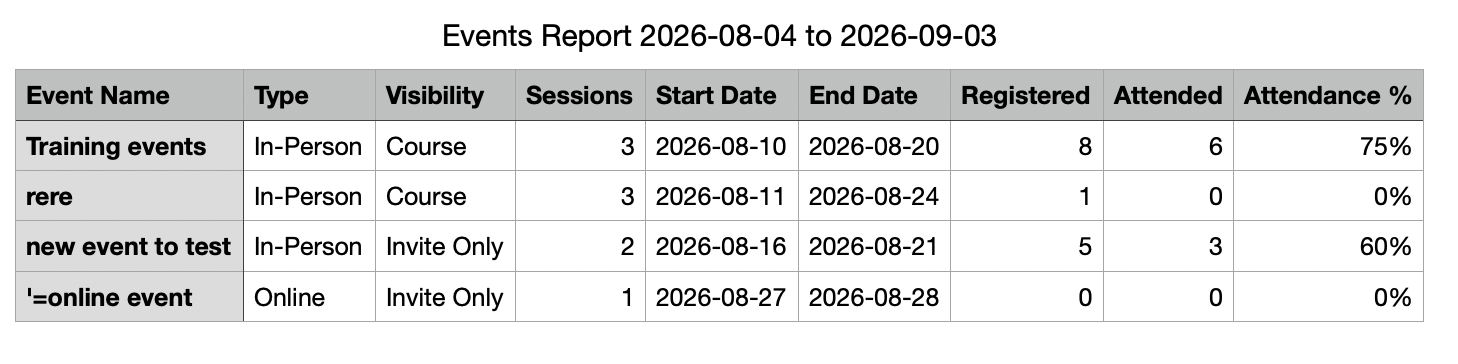
Events Reporting & Export - Admins can now bulk export event data from the Events page with a date range filter, making it easy to pull attendance and session reports for any period.
Questions or feedback? Just hit reply - we'd love to hear from you. Alternatively, you can also visit feedback.5mins.ai to give us feedback.
Cheers,
The 5Mins Team
August 10th, 2026
This release brings saved reports, admin roles with AI, custom lesson thumbnails, and smarter retake tracking.
What's New
Admin Roles - A brand-new Roles page under People & Teams. Browse the 5Mins Role Library, copy roles to your company, or create custom roles from scratch. AI Role Creation lets admins describe a role and get suggested skills automatically, then tweak and save.
Saved Reports & Automated Delivery - Admins can now save any Learning Records view as a named report and reuse it instantly from a presets row. Turn any saved report into a scheduled email - pick the recipients, set the frequency, and receive a CSV attachment automatically. No more rebuilding filters every time.
Lesson Thumbnails - Admins can now set custom thumbnails for any lesson type. Upload your own image, generate one with AI by describing what you want, or browse a stock image library - all from the same menu. No more relying on auto-generated frames or default placeholders.
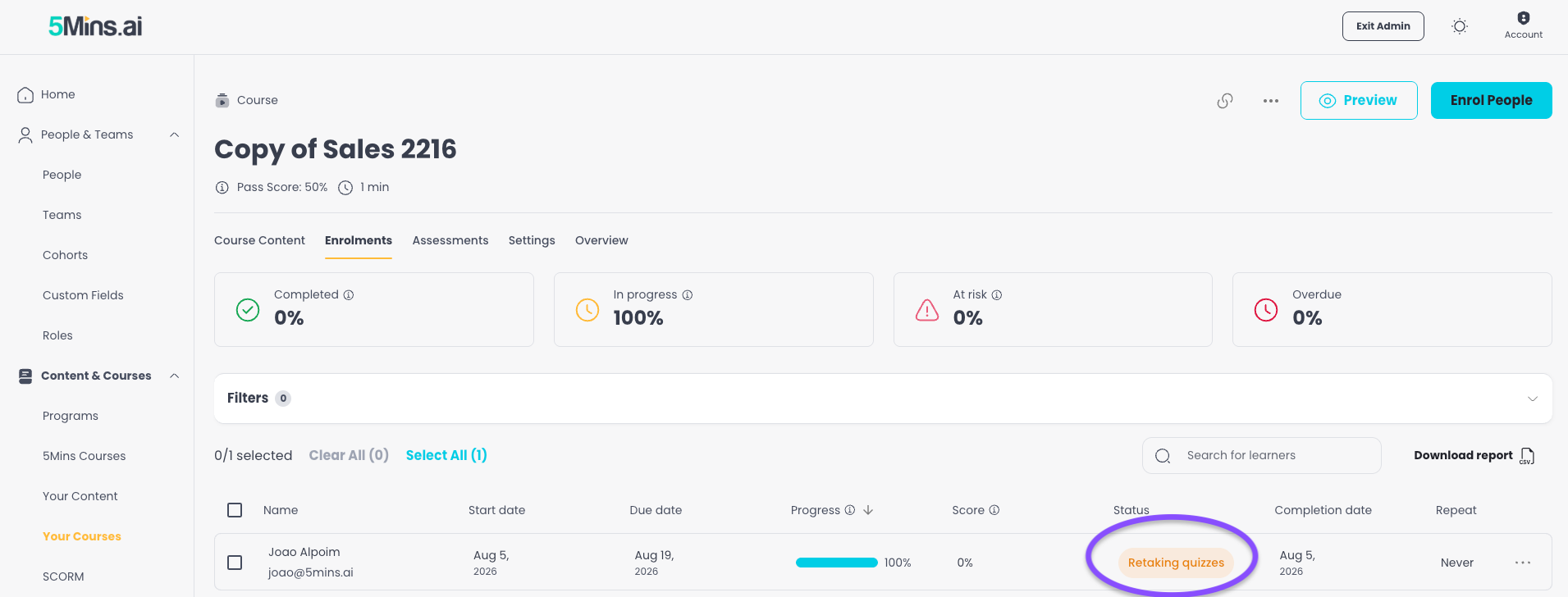
Retaking Quizzes Status - A new "Retaking quizzes" status now appears when a learner has finished a course but hasn't met the pass score and still has retake attempts available. The new status flows through Learning Records and dashboards, giving admins a clear picture of who is in the process of retaking.
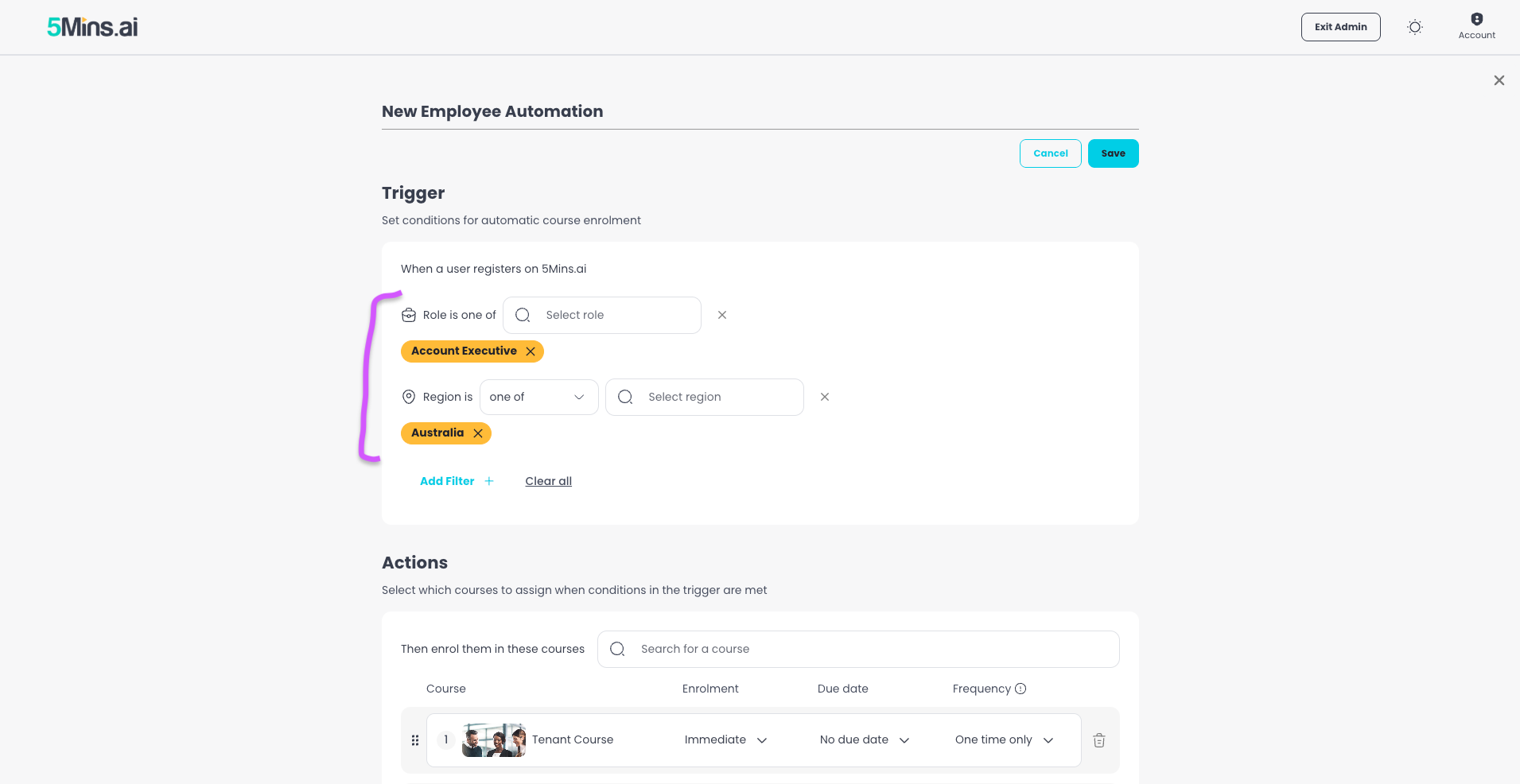
Automation Criteria Builder - Automation rules have been rebuilt as a flexible criteria builder. Teams are now available as a filter alongside regions and roles, making it easier to target the right learners.
Assessment Explanations - Multiple Choice Assessments now support an explanation for the correct answer, so learners understand why they got it right or wrong.
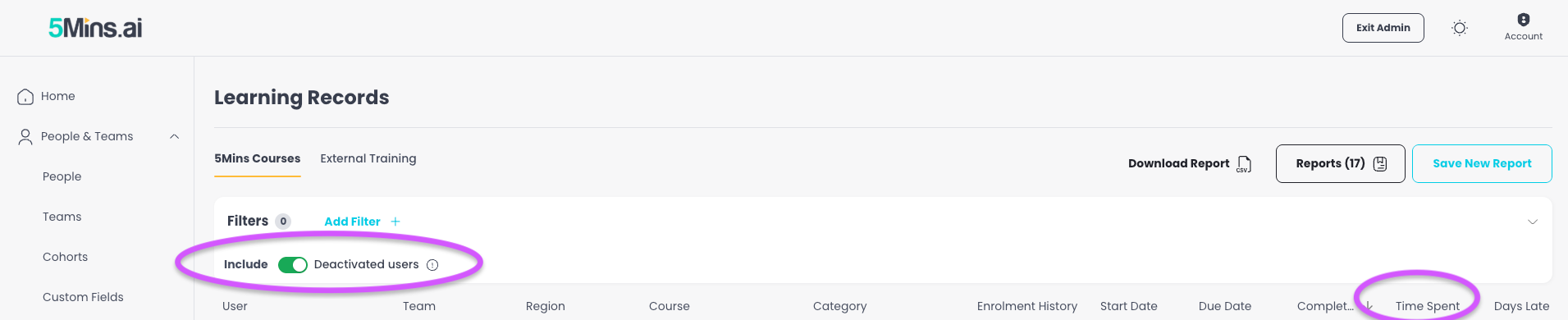
Time Spent Column - Learning Records now shows how long it actually took a learner to complete a course, from first activity to completion.
Include Deleted Users in Learning Records - Admins can now toggle on deleted users in Learning Records, so compliance and historical reporting stays complete even after offboarding.
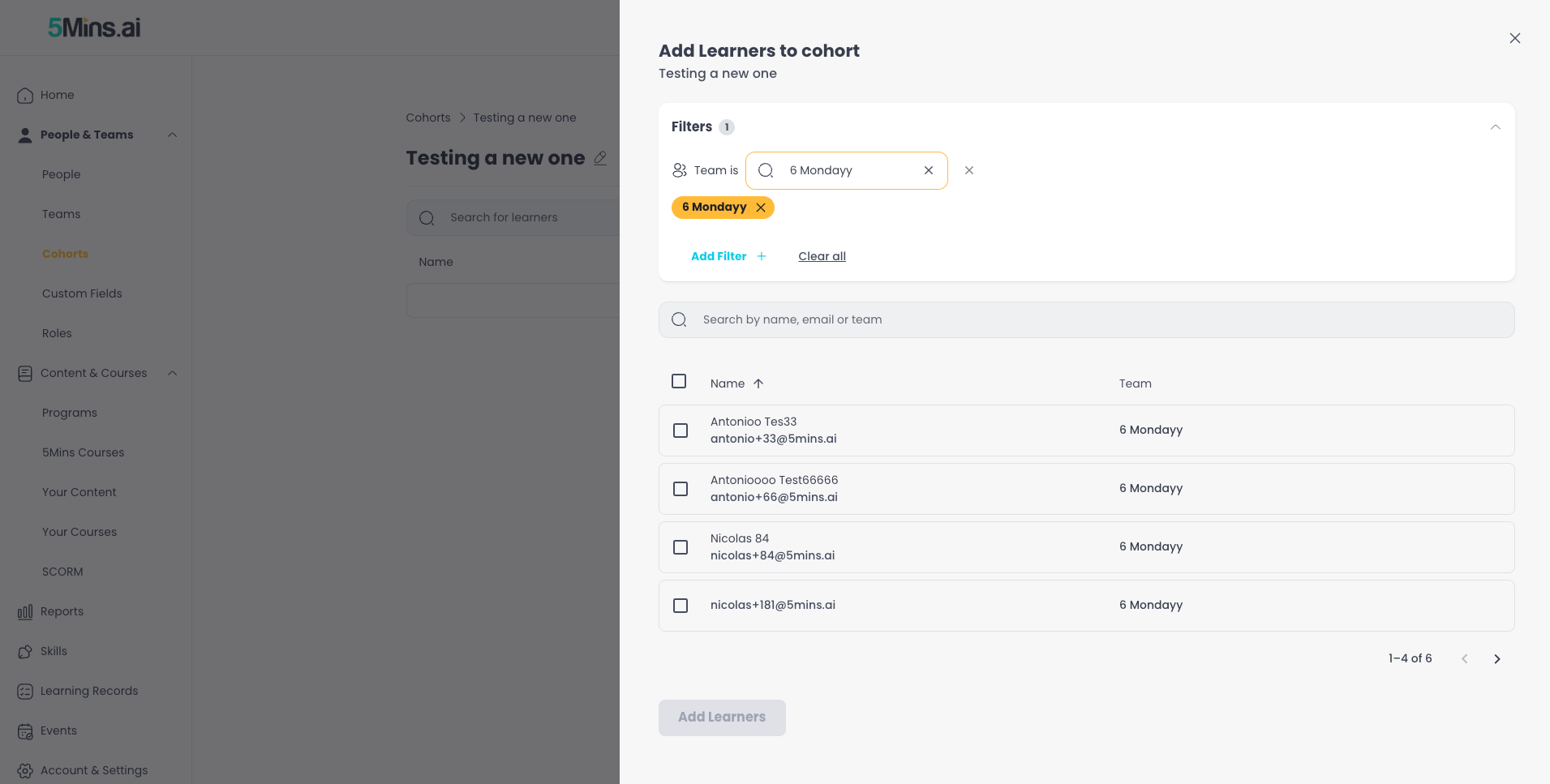
Cohort Improvements - The "Add Learners" flow on Cohorts now includes people filters (team, region, custom fields), and the creation flow takes admins straight to the add-people step.
CSV Sync Error Improvements - Upload errors are now clearer and more actionable, with specific guidance on what's wrong and how to fix it.
Your Courses Dashboard - New download options: admins can now export a full report or just the current view at course level.
Questions or feedback? Just hit reply - we'd love to hear from you. Alternatively, you can also visit feedback.5mins.ai to give us feedback.
Cheers,
The 5Mins Team
July 10th, 2026
This release gives admins more powerful automations, AI-generated flashcard images, and a smoother experience managing users.
What's New
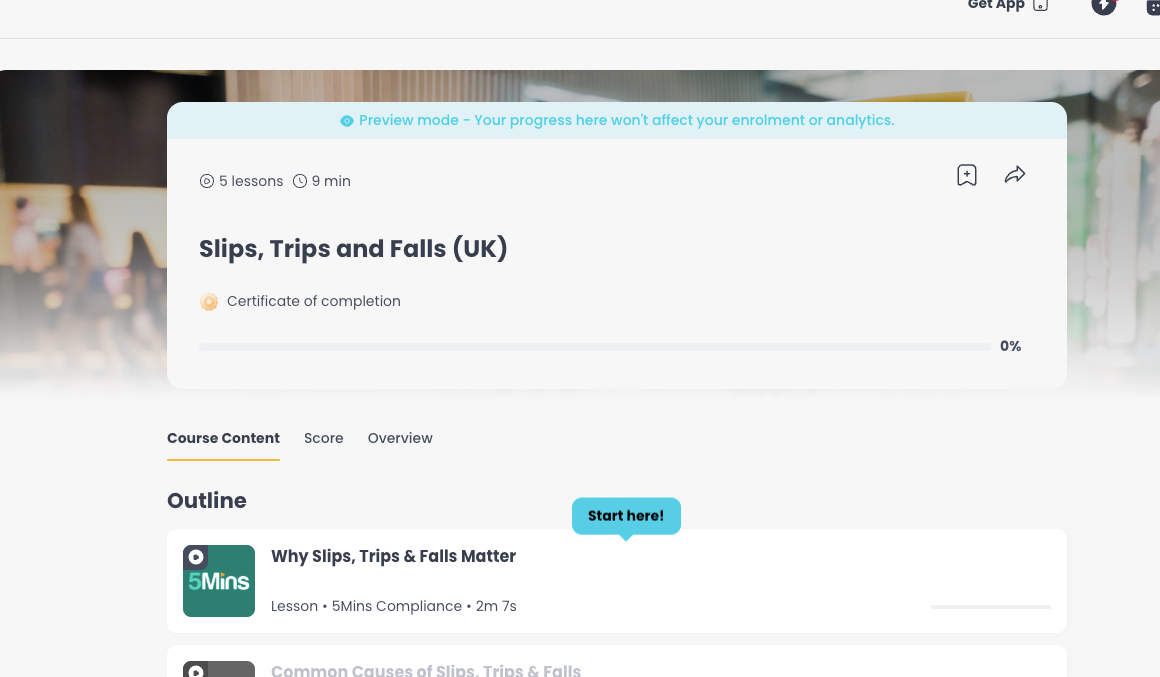
Admin Course Preview - Admins, managers, and subject experts can now preview a course exactly as learners see it, including progressing through content, without affecting real enrolment data.
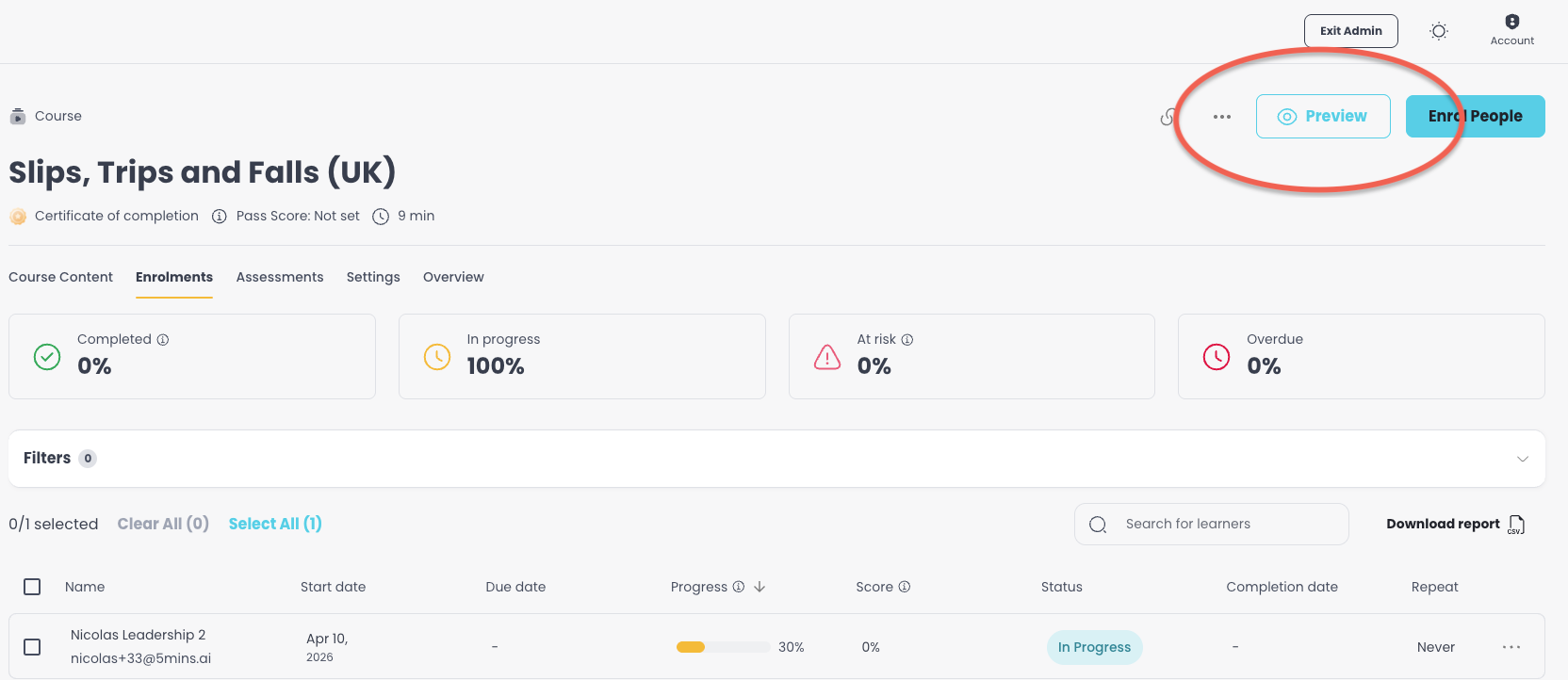
Opens in a new tab with a clear preview banner so admins always know they're in preview mode.
Automation Upgrades - Big improvements to automations:
Manually Trigger Automations. Admins can now run an existing automation on specific users on demand. No need to wait for the next trigger or create a workaround - just select the users and go.
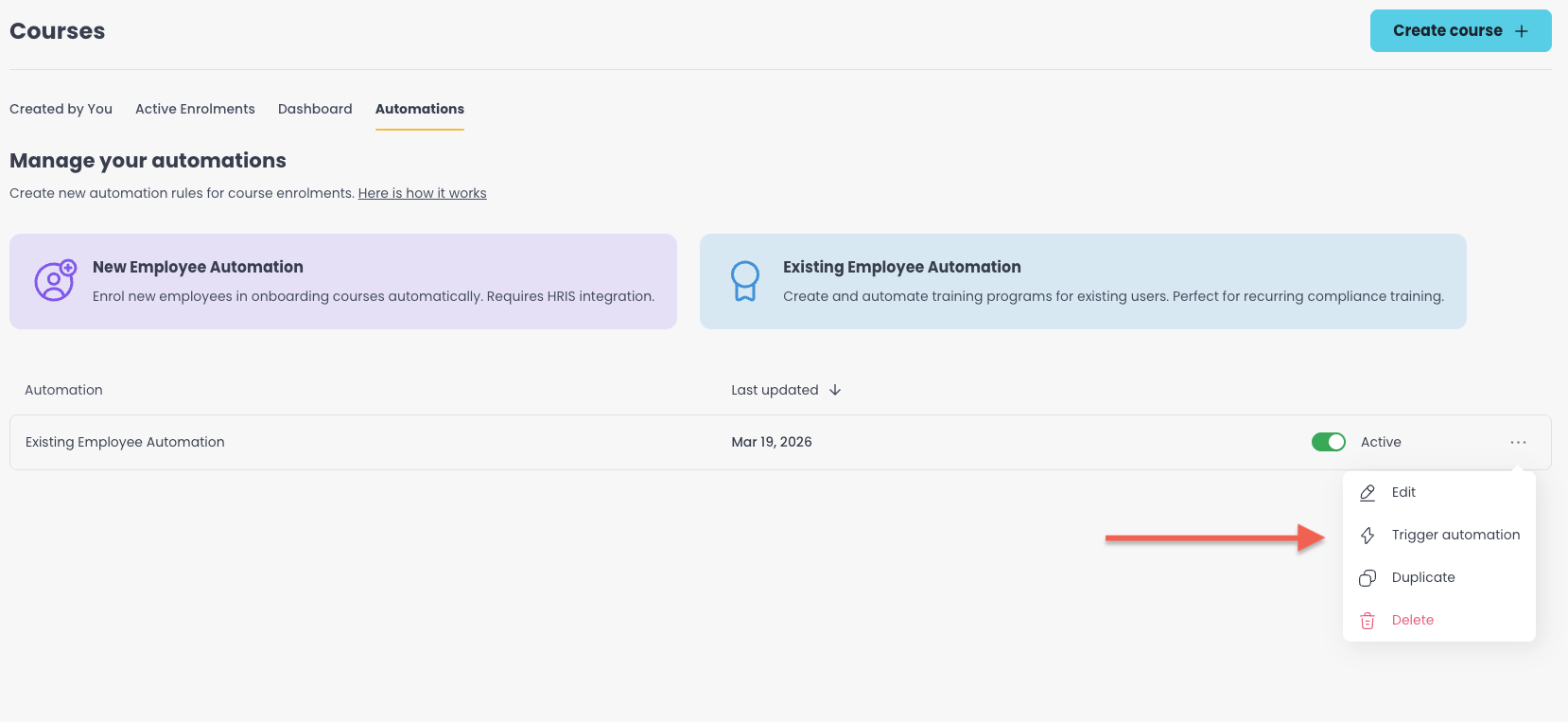
Duplicate Automations. Admins can now clone an existing automation with all its courses, rules, and settings. Ideal when building similar automations per region, role, or team.
When triggering an automation, the platform checks whether a user has already been through it. If they have, it shows when they were last triggered and prevents accidental re-enrolment.
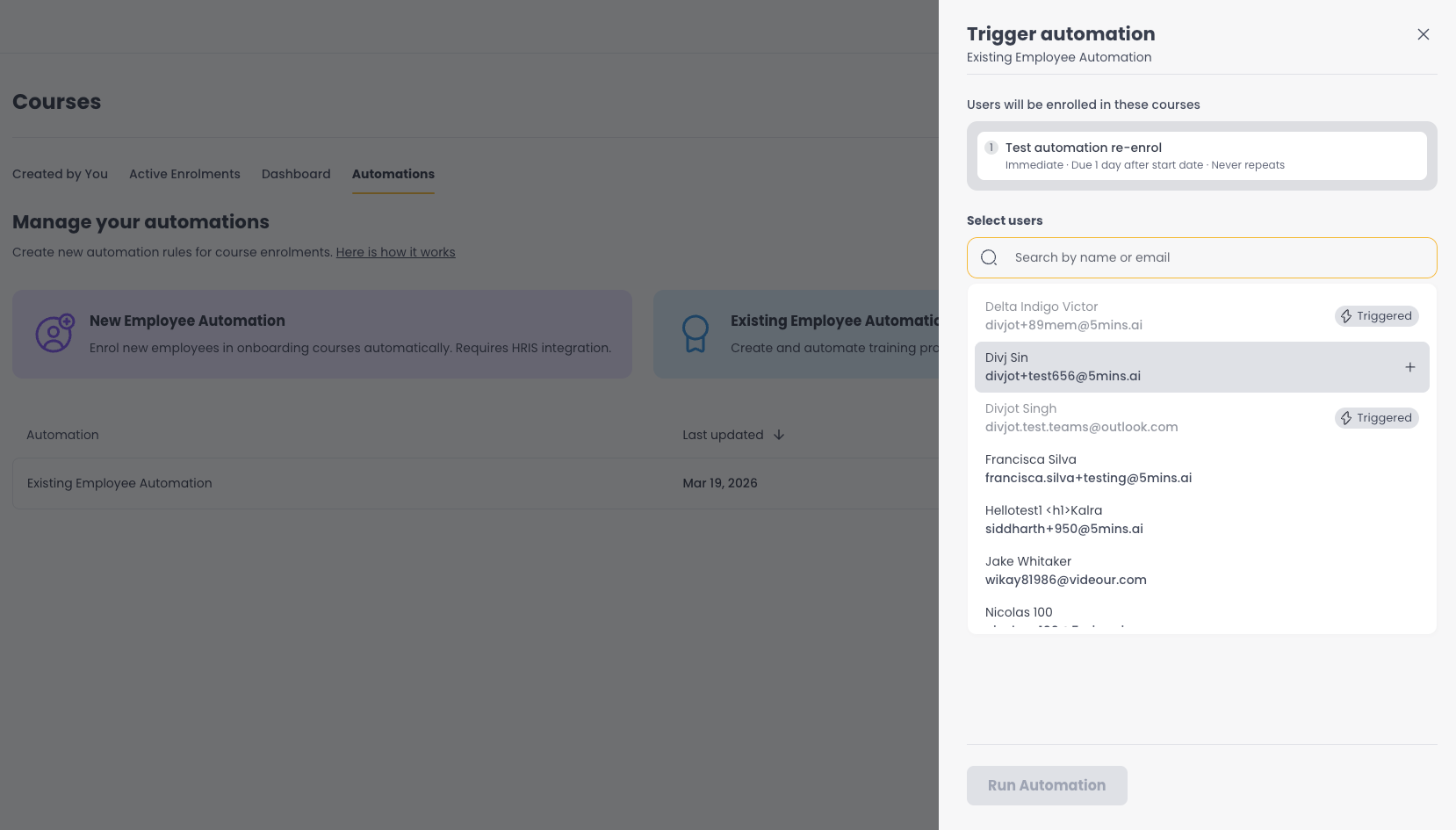
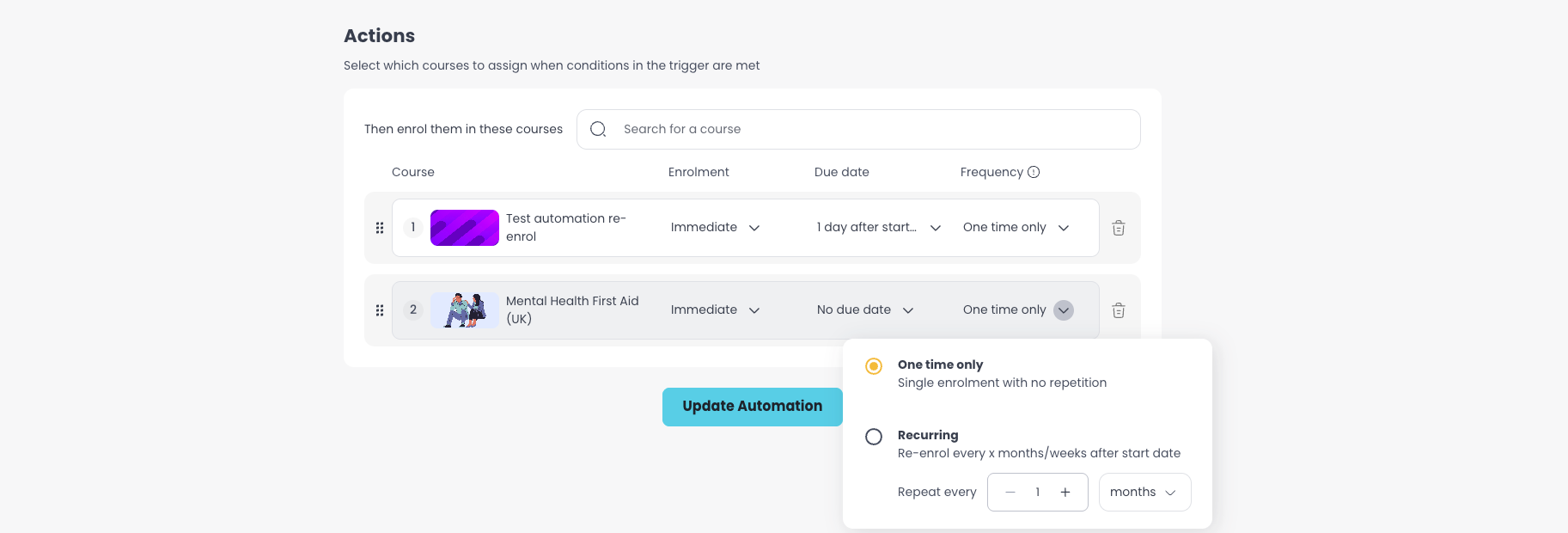
Per-Course Recurrence. Each course within an automation can now have its own repeat schedule. Previously, all courses in an automation shared the same recurrence rule - now admins can set annual renewal for compliance and quarterly for refreshers, all in one automation.
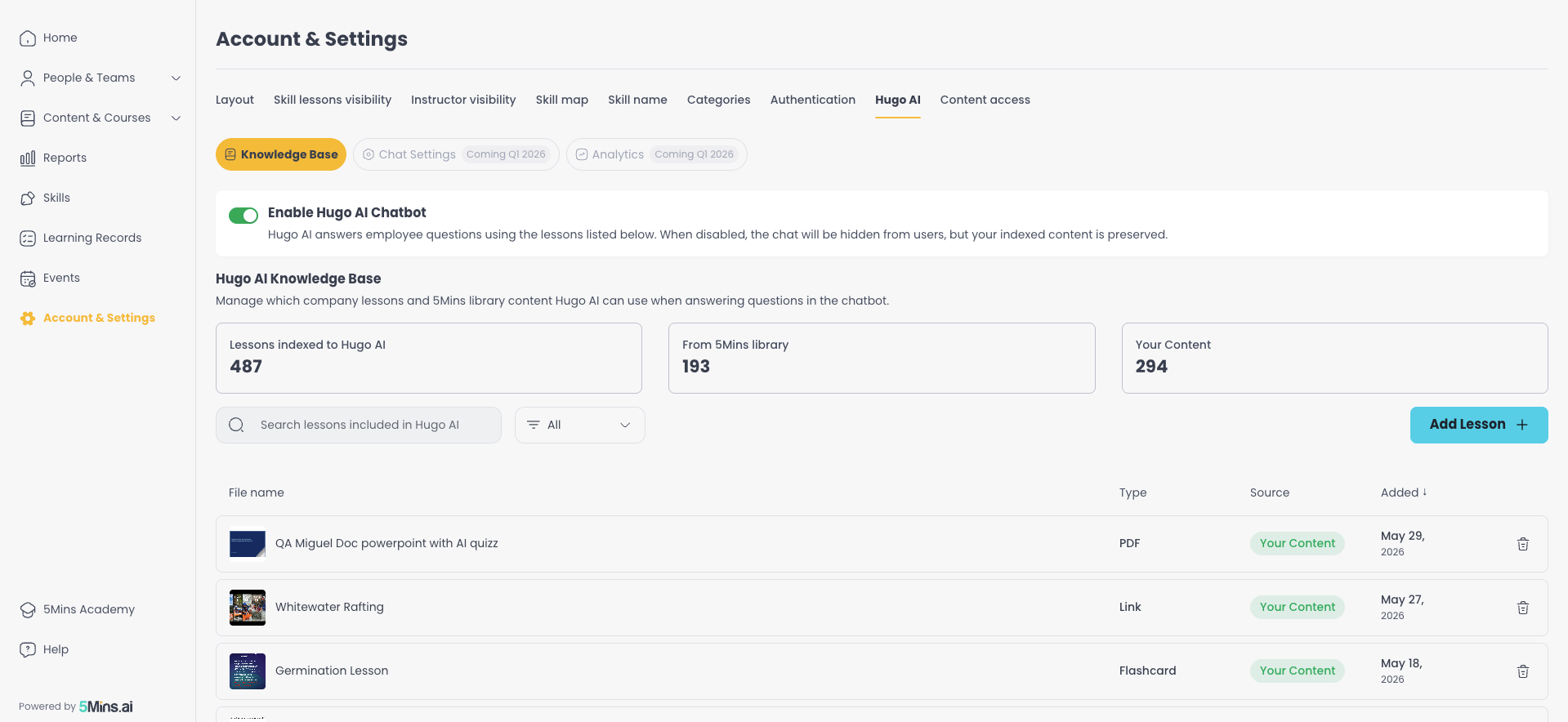
Hugo AI Chatbot - A new "Hugo AI" page under Account & Settings lets admins manage their AI chatbot's knowledge base, add internal content, and configure chatbot behaviour. Once enabled, learners see an "Ask AI" option that answers questions and links directly to relevant lessons.
AI Image Generation for Flashcards - Admins can now generate custom images using AI directly inside the flashcard editor, for both card images and backgrounds. Admins can also browse stock images from Freepik's library.
Edit User Emails - Admins can now edit email addresses for both invited and registered users directly from the People page, removing the need to contact support for email changes. This also works for pending invites, so admins can fix a wrong email without deleting and recreating the invite.
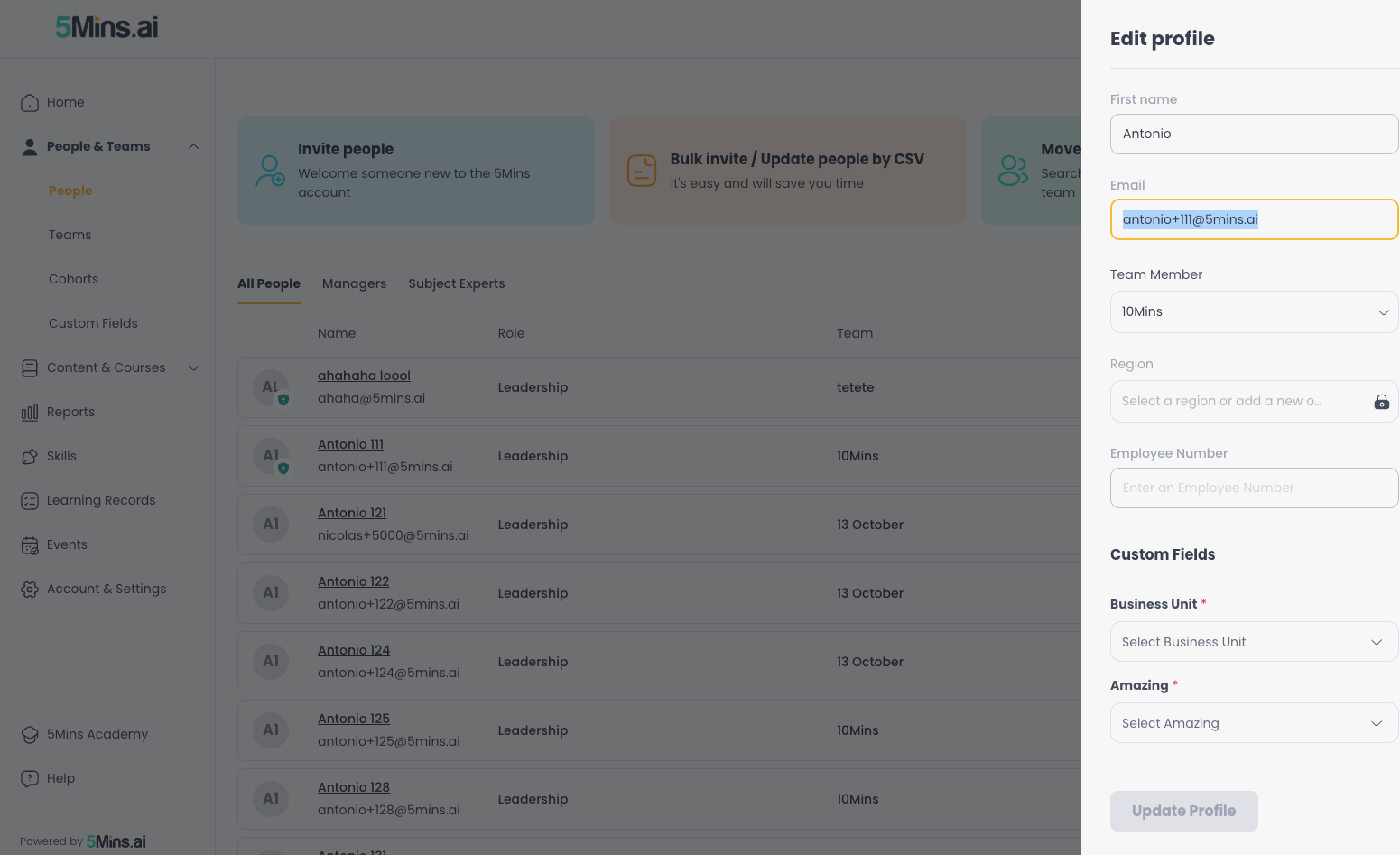
Employee ID - A new text-type field with uniqueness validation, designed for tracking employee IDs across the platform. Once set, it appears in reports and can be bulk-updated via CSV.
Questions or feedback? Just hit reply - we'd love to hear from you. Alternatively, you can also visit feedback.5mins.ai to give us feedback.
Cheers,
The 5Mins Team
June 8th, 2026
In this release we are making it easier to get people onto the platform, with flexible sign-up options, smarter invites, and custom fields everywhere.
What’s New
Unique Invite Links - Each invite now generates a unique, tokenised link tied to the user’s email. This improves security, simplifies tracking, and gives admins confidence that the right person is accepting the right invite.
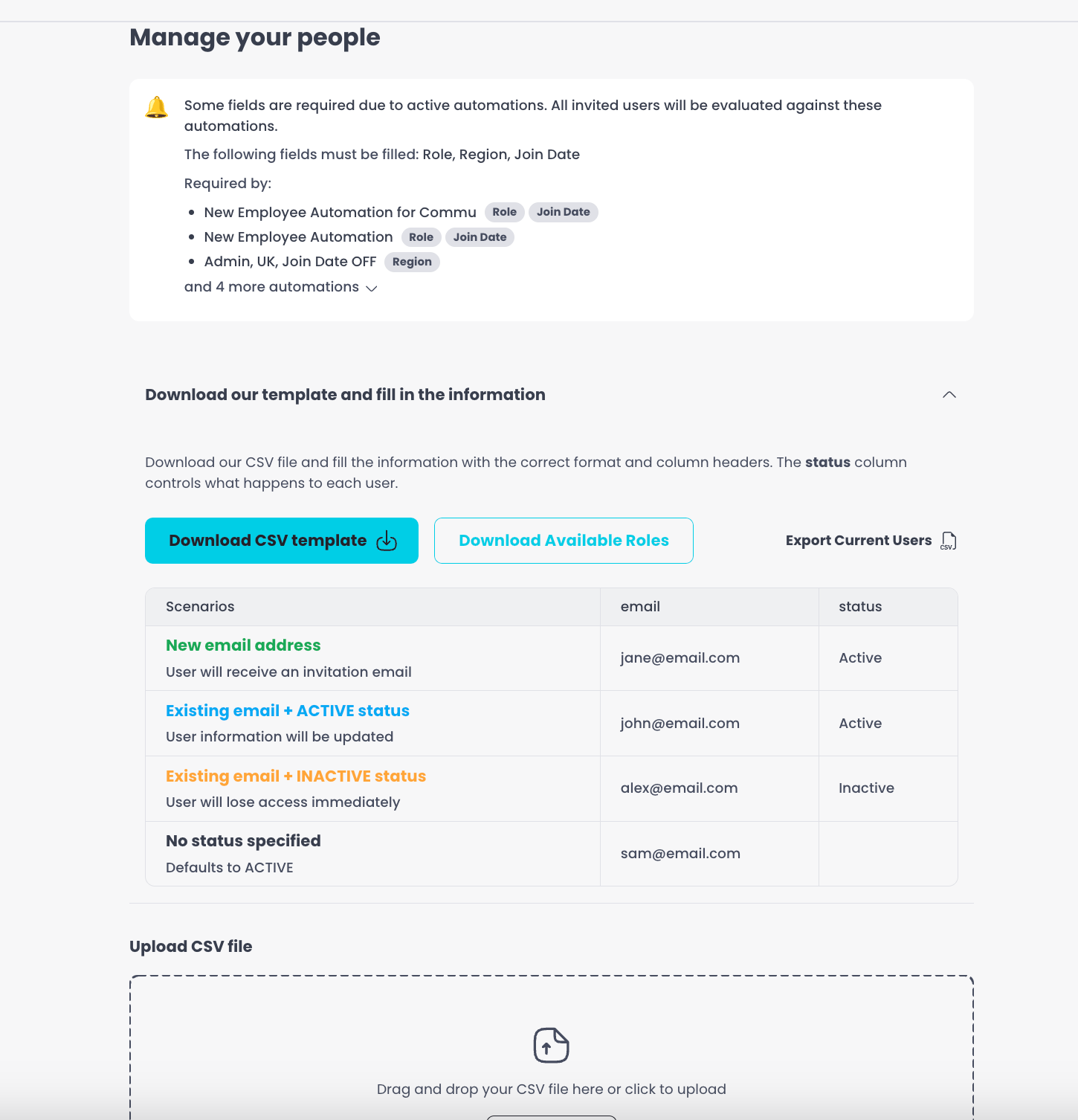
CSV Sync - A new multi-step CSV flow replaces the old bulk invite process. Admins can export current users, upload a modified CSV, review changes side-by-side, and apply updates in bulk - including names, teams, roles, regions, and custom fields.
Create Empty Flashcards - Admins, Managers and Subject Experts can now create flashcard lessons from scratch with a blank template, giving full control over the content from the start.
Duplicate Flashcard Lessons - Admins can now duplicate existing flashcard lessons, saving time when creating similar content.
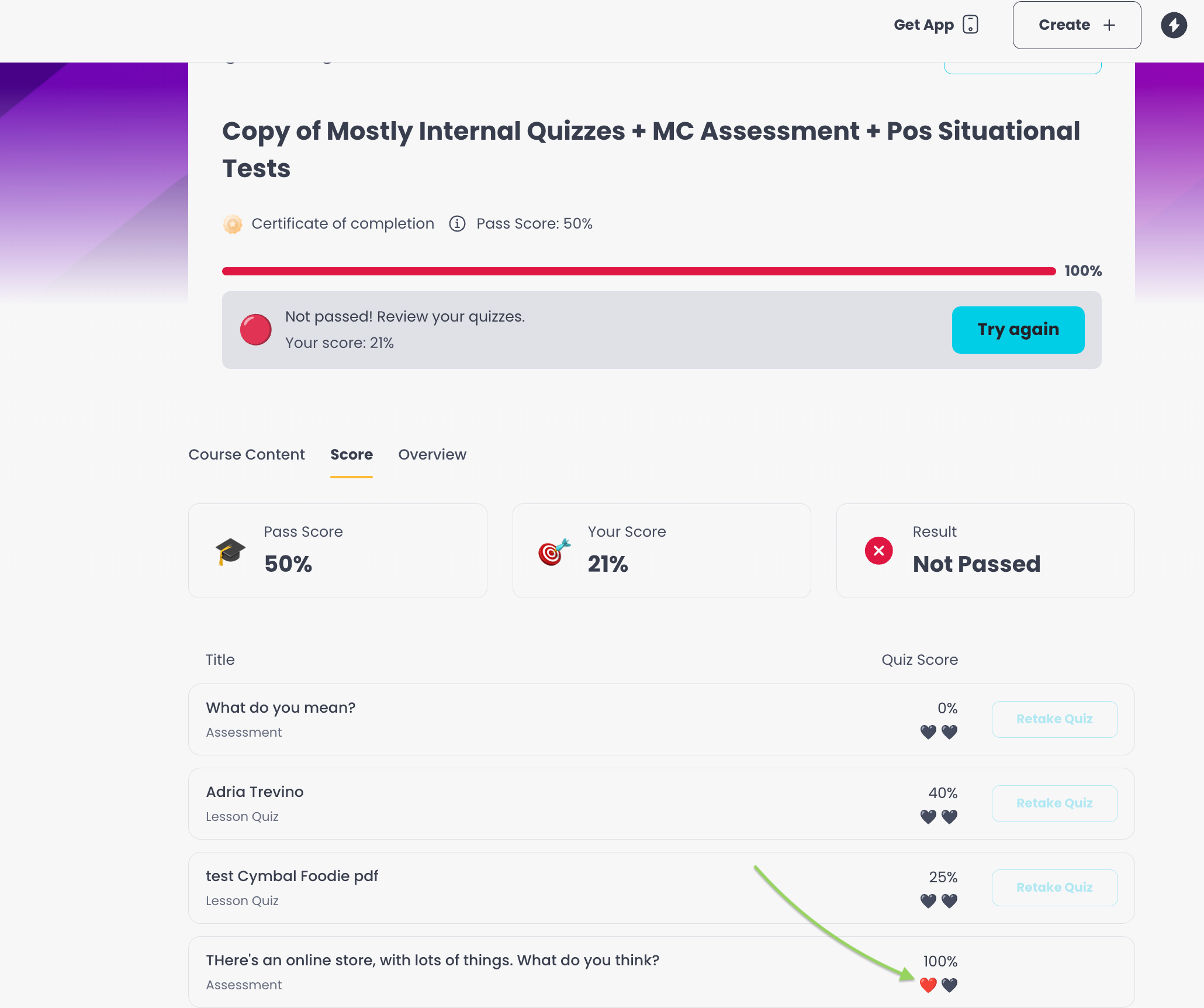
Improved Retake Experience - When learners don’t meet the pass score, the Score tab now clearly shows how many attempts remain, which quizzes can be retaken, and what to do next.
Failed Course Notifications - Learners who fail a course now receive a notification via email, Slack, or MS Teams explaining their result and guiding them on next steps.
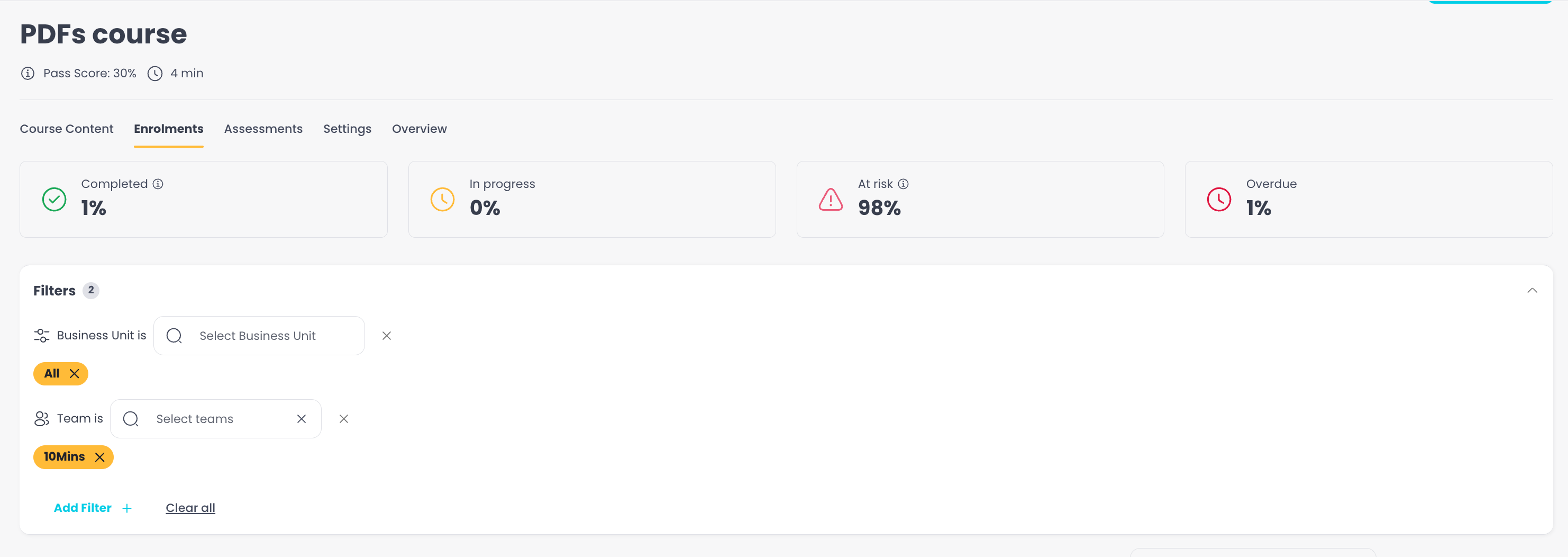
People Filters on Enrolments - Admins can now filter course enrolments by user attributes like team, region, and custom fields.
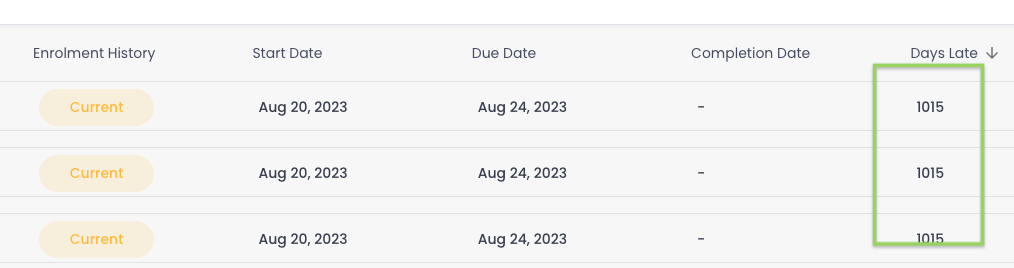
Days Late Tracking - Learning Records now shows how many days late each course completion is, with sorting and filtering so admins can triage overdue learners without exporting to Excel.
First & Last Name on Individual Invites - Admins can now enter a user’s name directly when sending a single invite, removing the extra onboarding step.
HRIS Personal Email Fallback - For industries where employees don’t have work emails, the HRIS sync can now use personal email addresses as a fallback.
Custom Fields Everywhere - Custom dropdown fields now appear across Learning Records filters, downloadable reports, Course Completion Dashboard breakdowns, and Activation Report breakdowns. HRIS integrations can also map custom fields automatically.
Questions or feedback? Just hit reply - we’d love to hear from you. Alternatively, you can also visit feedback.5mins.ai to give us feedback.
Cheers,
The 5Mins Team
May 8th, 2026
We've been busy! This release brings some of our most requested features, including SCORM support, custom fields, and a brand-new compliance dashboard.
What's New
SCORM Integration
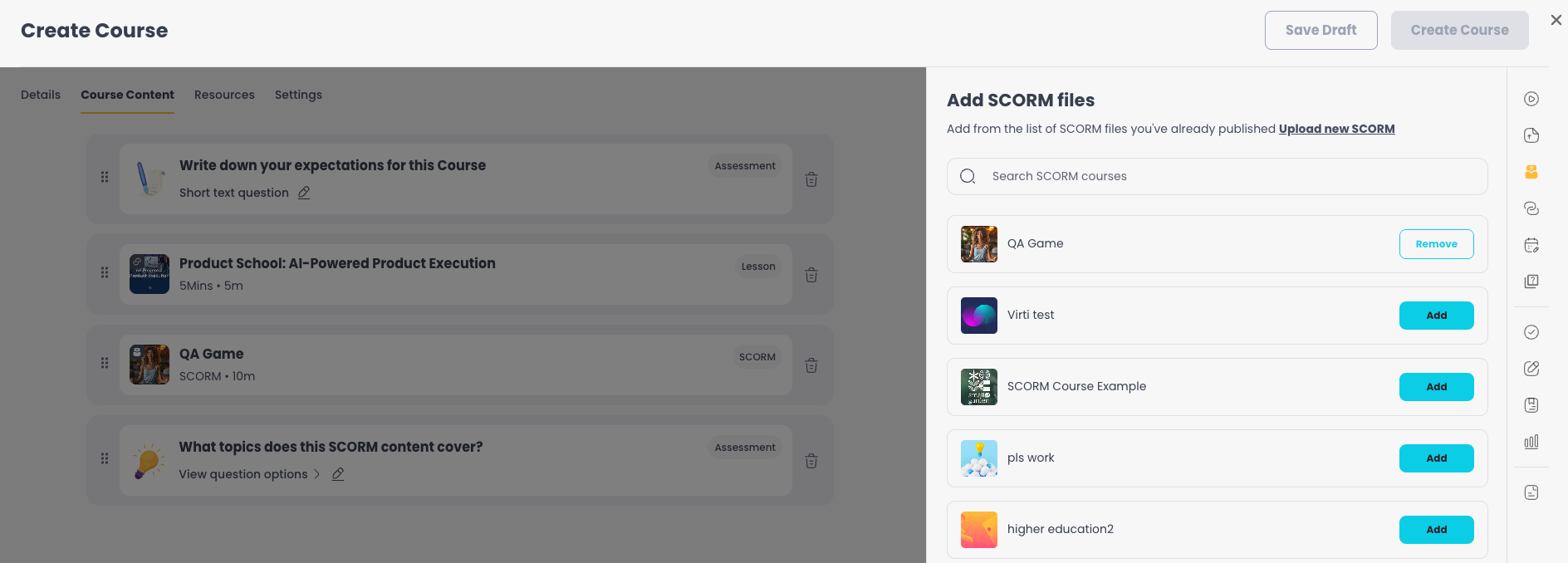
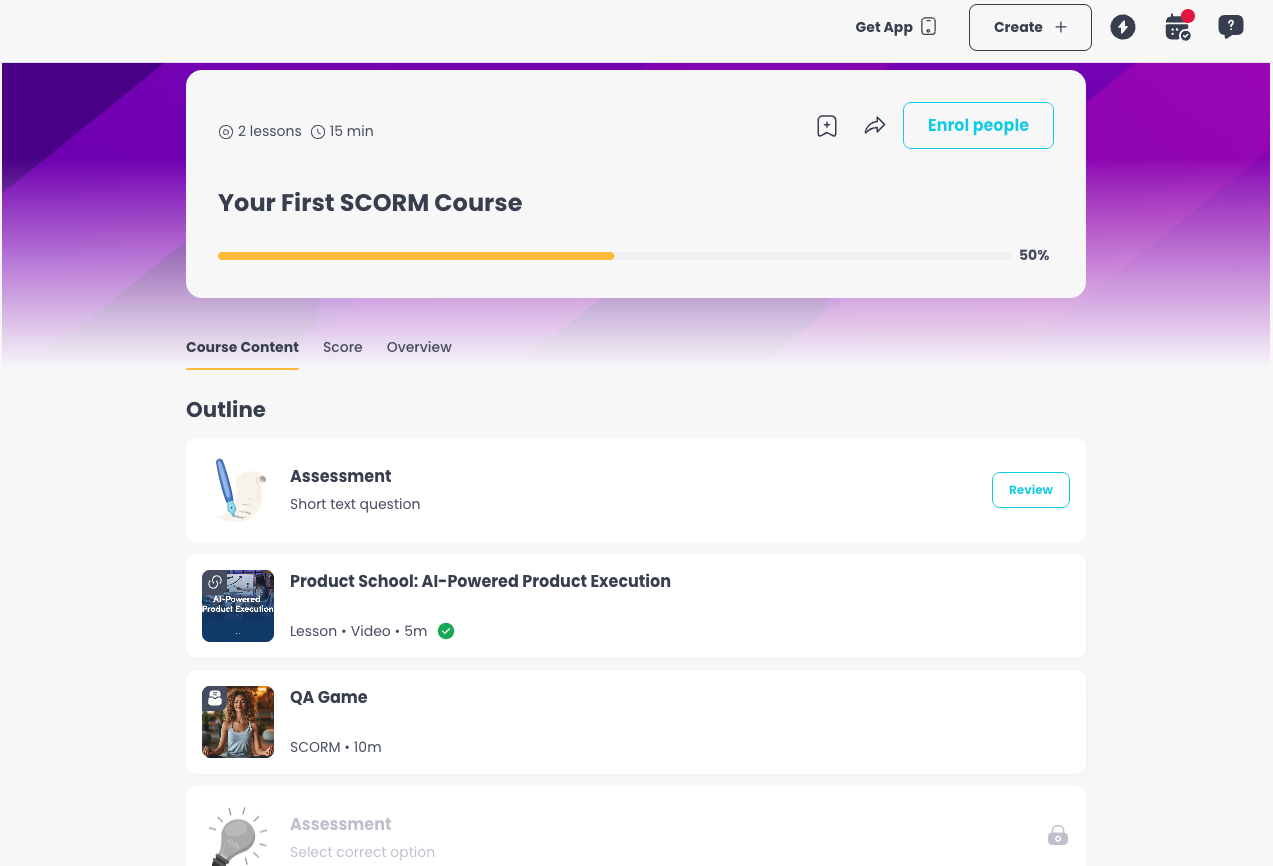
You can now add SCORM packages directly to your courses. SCORM content works seamlessly with the course outline, mobile app, score tracking, and existing courses. If your SCORM package includes duration data, that's captured too.
Custom Fields
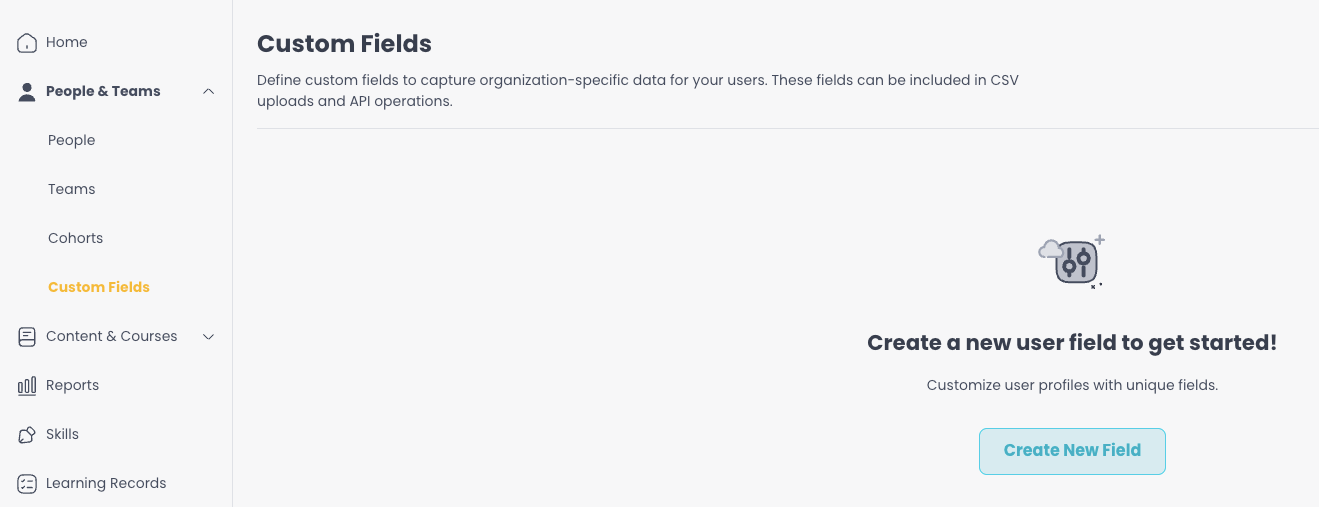
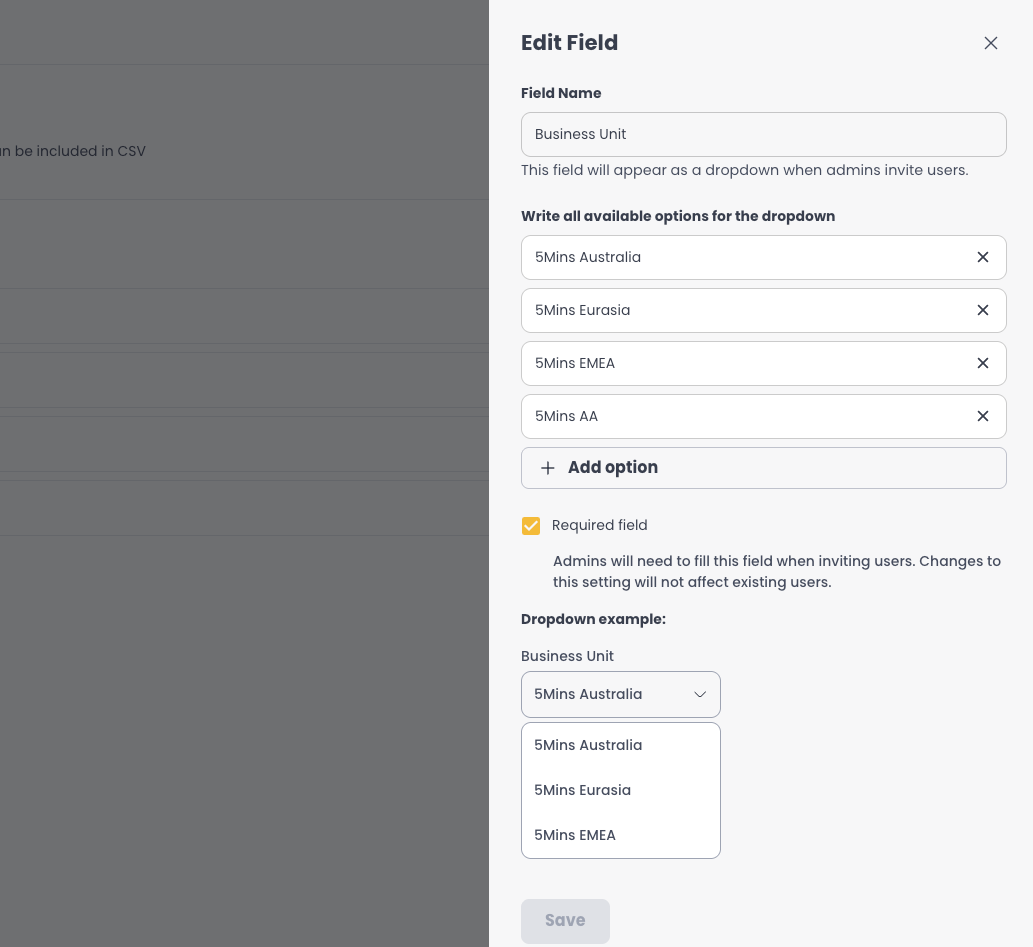
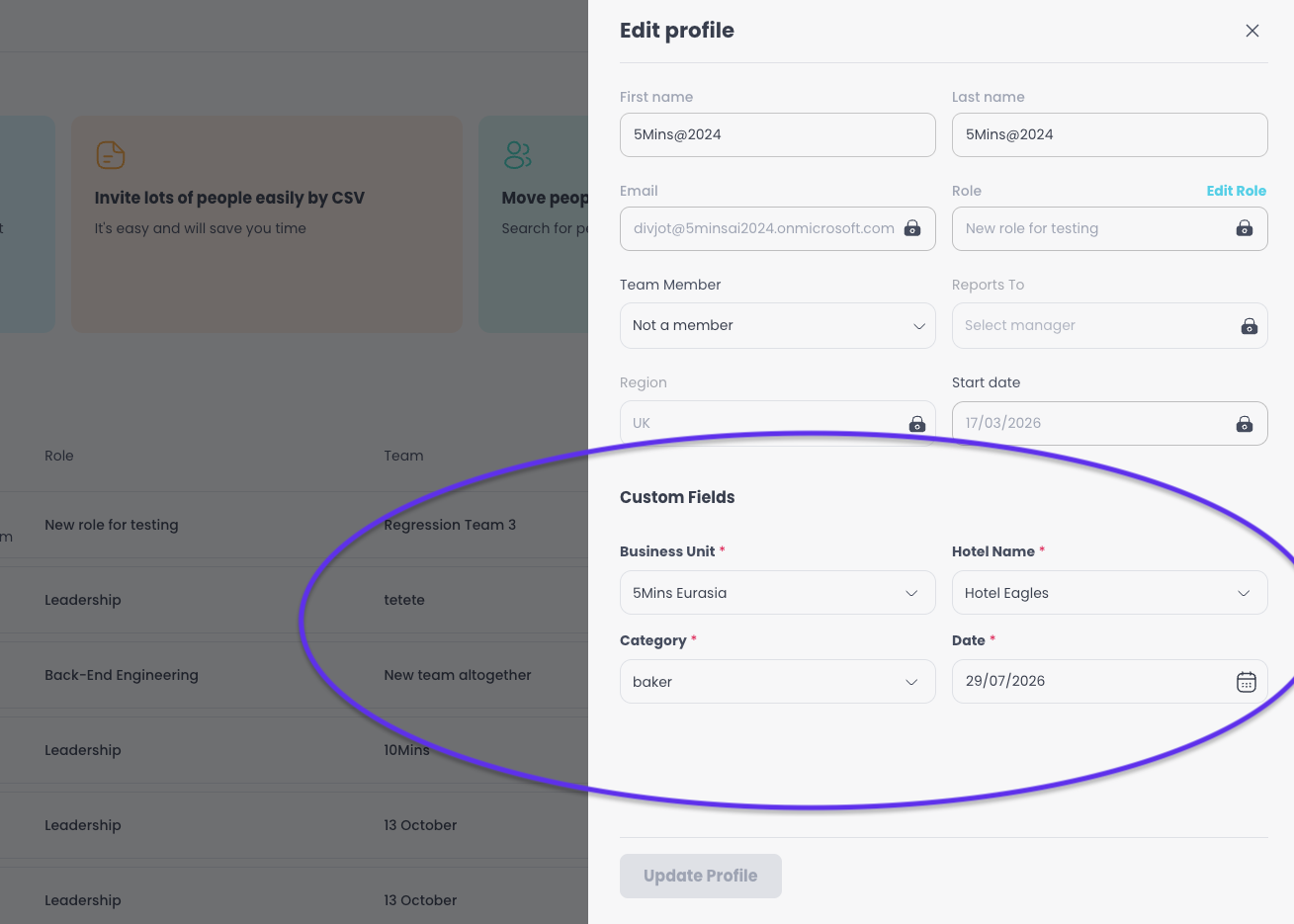
Admins can now create custom dropdown fields on people profiles. These fields carry through the entire user lifecycle - from single invites and bulk CSV imports to profile editing, enrolment views, and automations.
Course Completion Dashboard
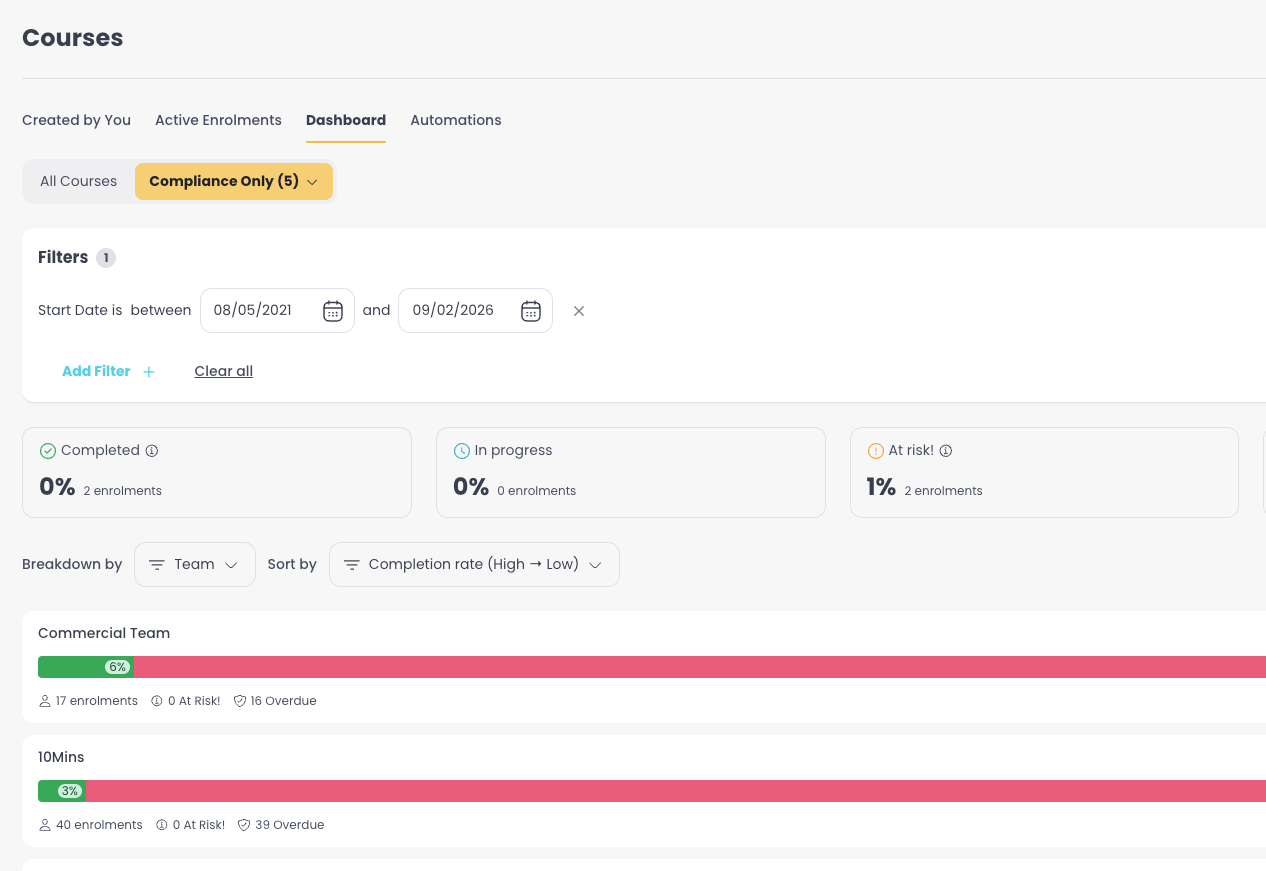
A redesigned dashboard gives admins a clearer view of course completions, with a dedicated compliance view and the ability to drill into individual learner details.
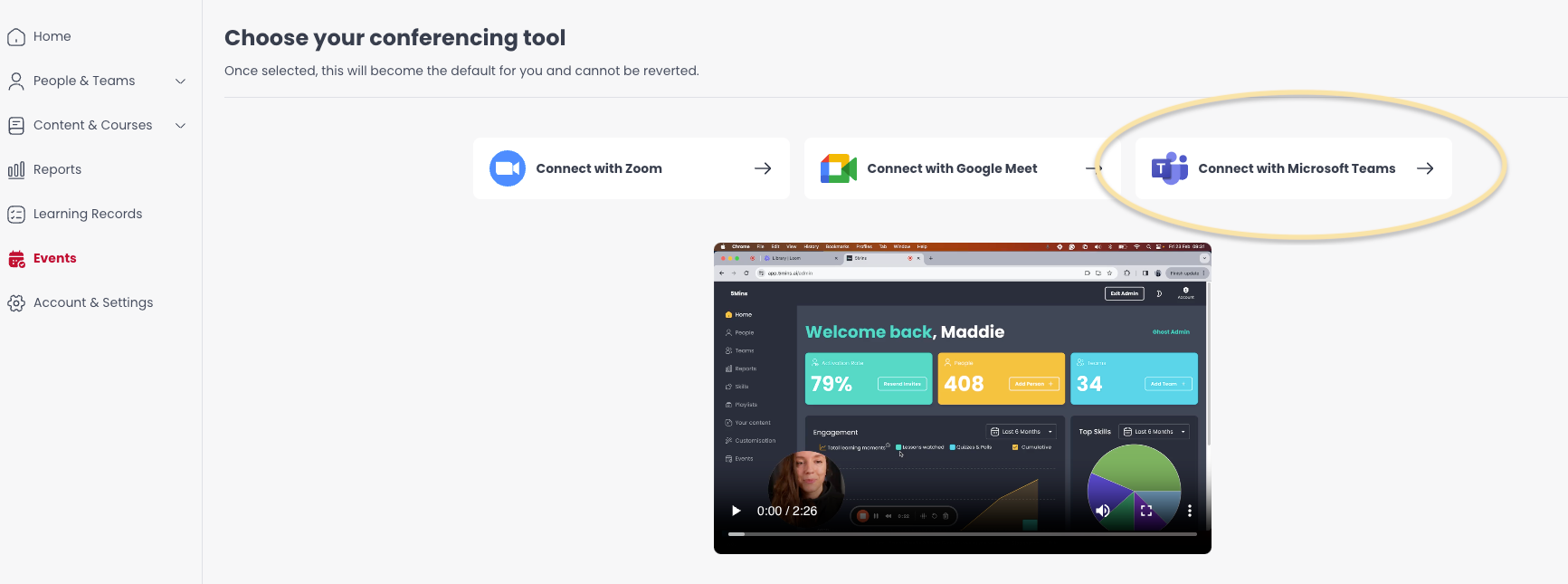
Events now support MS Teams
Admins can now create events directly on MS Teams, adding to our list of supported providers alongside Zoom and Google Meet. Events can also run longer than 8 hours, and standalone events can be set as public or invite-only.
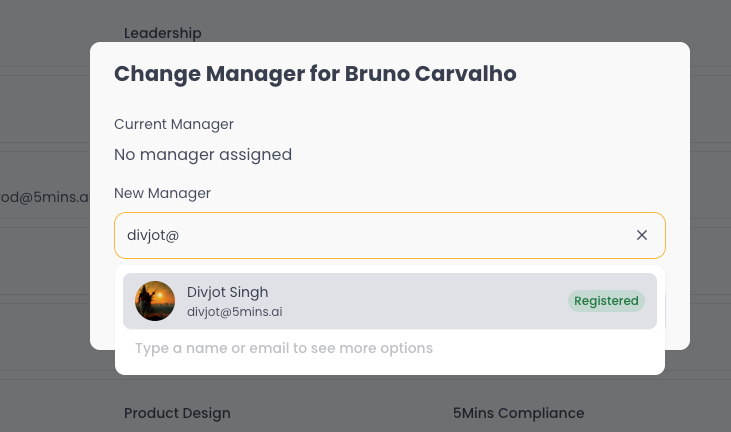
Reports To (User Management)
You can now map your company's full reporting structure directly in 5Mins. No more fragmenting teams into unnatural groups with team managers - just mirror your real org chart and let the platform handle the rest.

Quiz & Assessment Improvements
Lesson quizzes now count toward overall course progress. We've also improved the take/retake flow and redesigned the Score tab so learners who don't meet the pass score always know what to do next.
Questions or feedback? Just hit reply - we'd love to hear from you. Alternatively, you can also visit feedback.5mins.ai to give us feedback.
Cheers,
The 5Mins Team
March 26th, 2026
This release is packed with updates to make courses easier to navigate, compliance simpler to manage, and onboarding smoother for every type of learner.
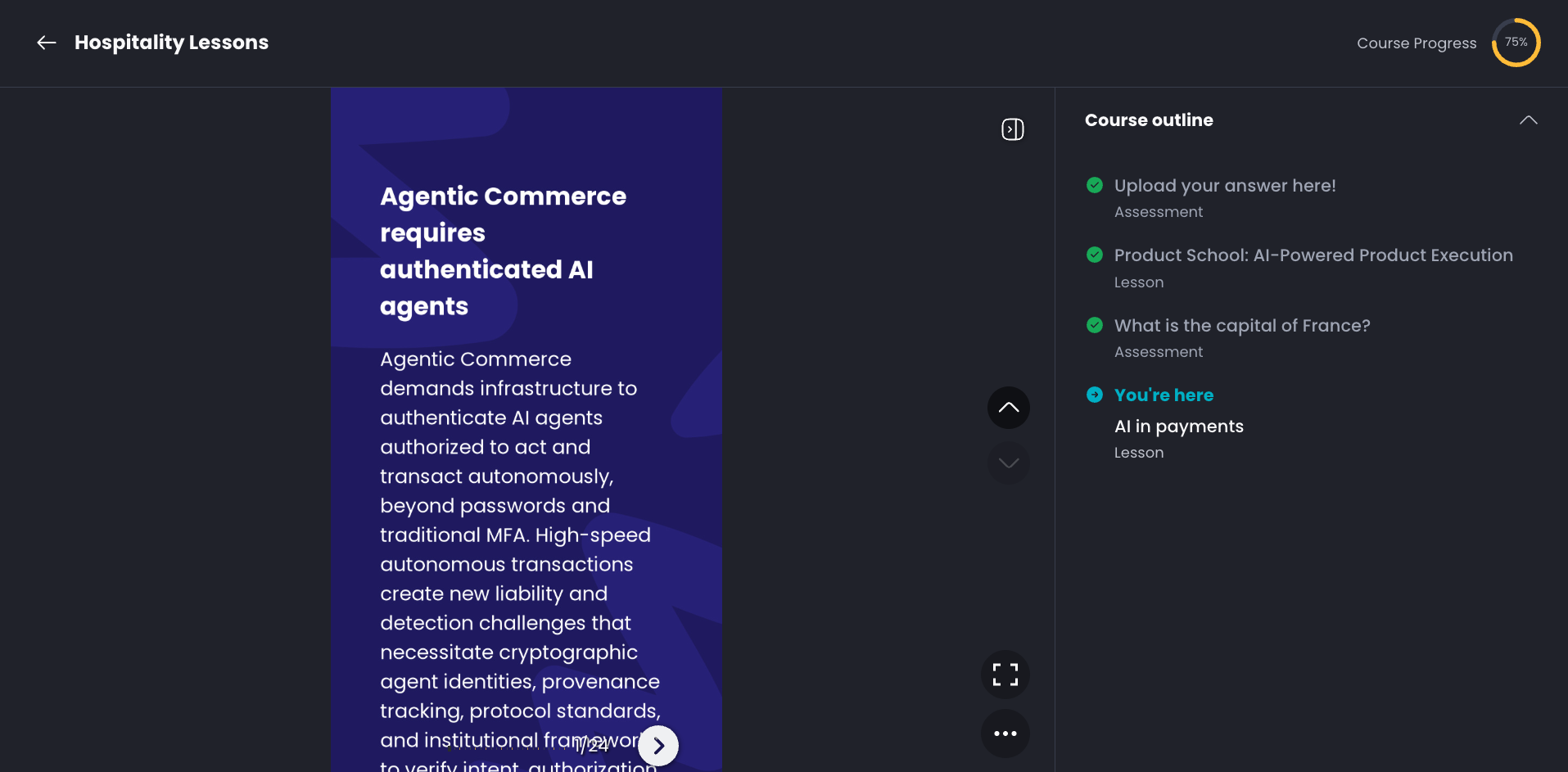
Course Outline
Learners can now see the full structure of a course in an expandable outline view. Completed items are clearly marked, and upcoming steps are clickable or locked depending on course settings. Available on both Web and Mobile App.
Document Lessons
Admins can now create lessons from PDFs, PowerPoint and Word, no manual conversion needed. Files are converted behind the scenes and work with AI quiz generation and tracking out of the box.
Compliance Course Flag & Filters
Courses can now be marked as Compliance. Learning Records includes a new filter so admins can quickly separate compliance training for audits and reporting.
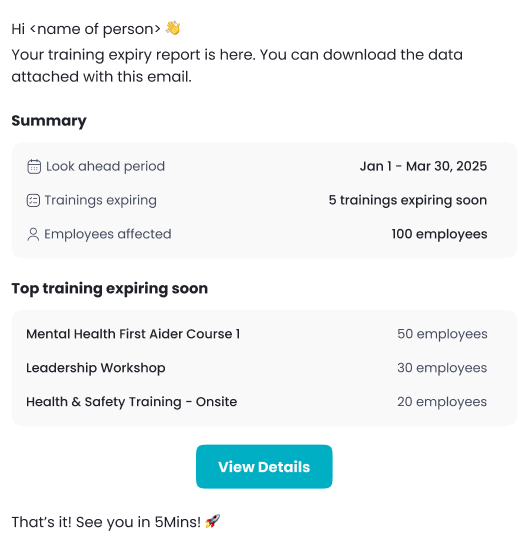
External Training Expiry Reports
Set up automated email reports for upcoming external-training expiries. Configure how far ahead to look and how often to send, and receive summary emails with CSV attachments.
Full-Screen Landscape PDFs on Mobile App (iOS and Android)
Landscape PDFs now open in a dedicated full-screen mode on mobile, making wide documents much easier to read.
Questions or feedback? Just hit reply — we'd love to hear from you. Alternatively, you can also visit feedback.5mins.ai to give us feedback.
Cheers,
The 5Mins Team
February 23rd, 2026
Assessments & Events in Course Feed
Now all courses can have a mix of lessons and assessments in any order! Situational tests, assessments, and events can also be opened directly from the course feed on both web and mobile, without leaving the course flow.
Draft Courses
Admins can now save courses as drafts, iterate on content, and publish only when ready.
Team Course Tracker Improvements
The team manager tracker got a lot juicier and actionable! It has a new and improved logic and user profiles are now clickable directly from the tracker view.
Smarter Onboarding & Invites
Roles can now be pre-assigned directly via invites, so new users arrive with the right permissions from day one. When a role is already known, onboarding automatically skips the role selection step.
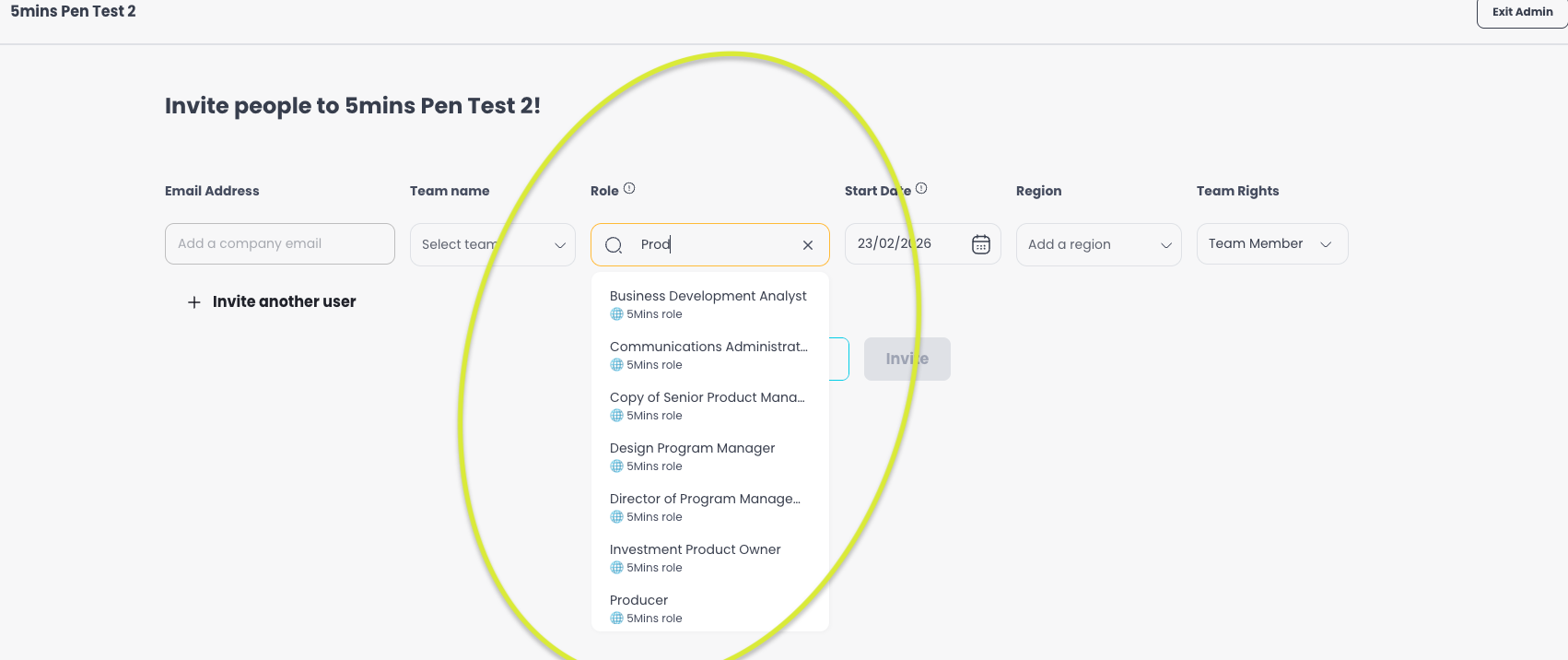
We've also tidied up the People page: multiple invites for the same person are now merged into a single row, and bulk CSV invites now support role parsing and region validation out of the box.
Course Access & Progression
Unified reporting — User Progress Status and Result columns have been unified for more consistent reporting.
Automatic ownership transfer — When a user is deleted, their course ownership is automatically transferred so content is never orphaned.
December 29th, 2025
We're excited to announce our last release of the year, packed with powerful new features to enhance your learning experience!
What's New
Events in Courses
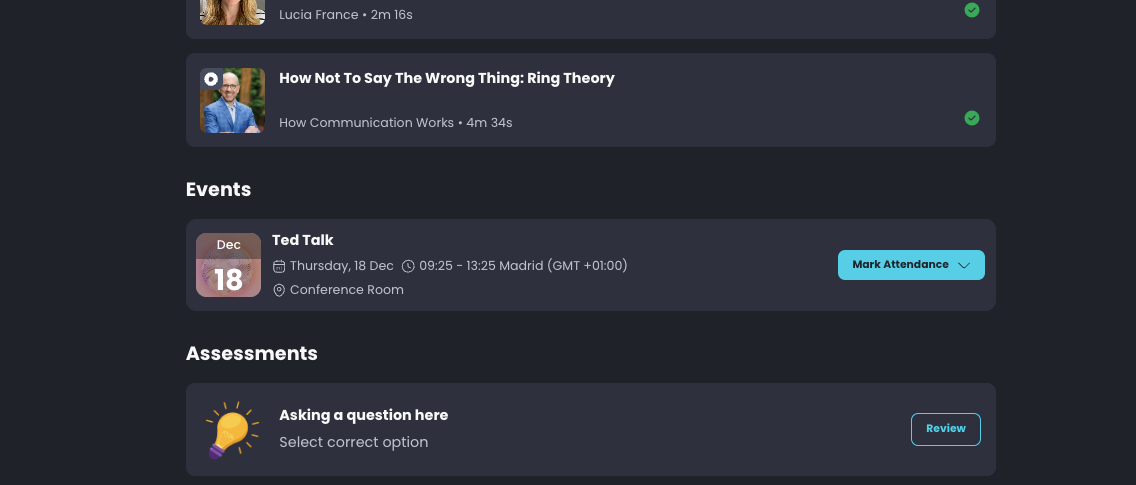
Admins can now add events as part of course content to support flipped classroom approaches—combine live training sessions with pre-work and follow-up assessments in a single course.
Add online or in-person events directly to course content
Pre-assign learners to specific sessions
Flexible attendance tracking: learners self-mark or admins track for them
Cohort CSV Upload
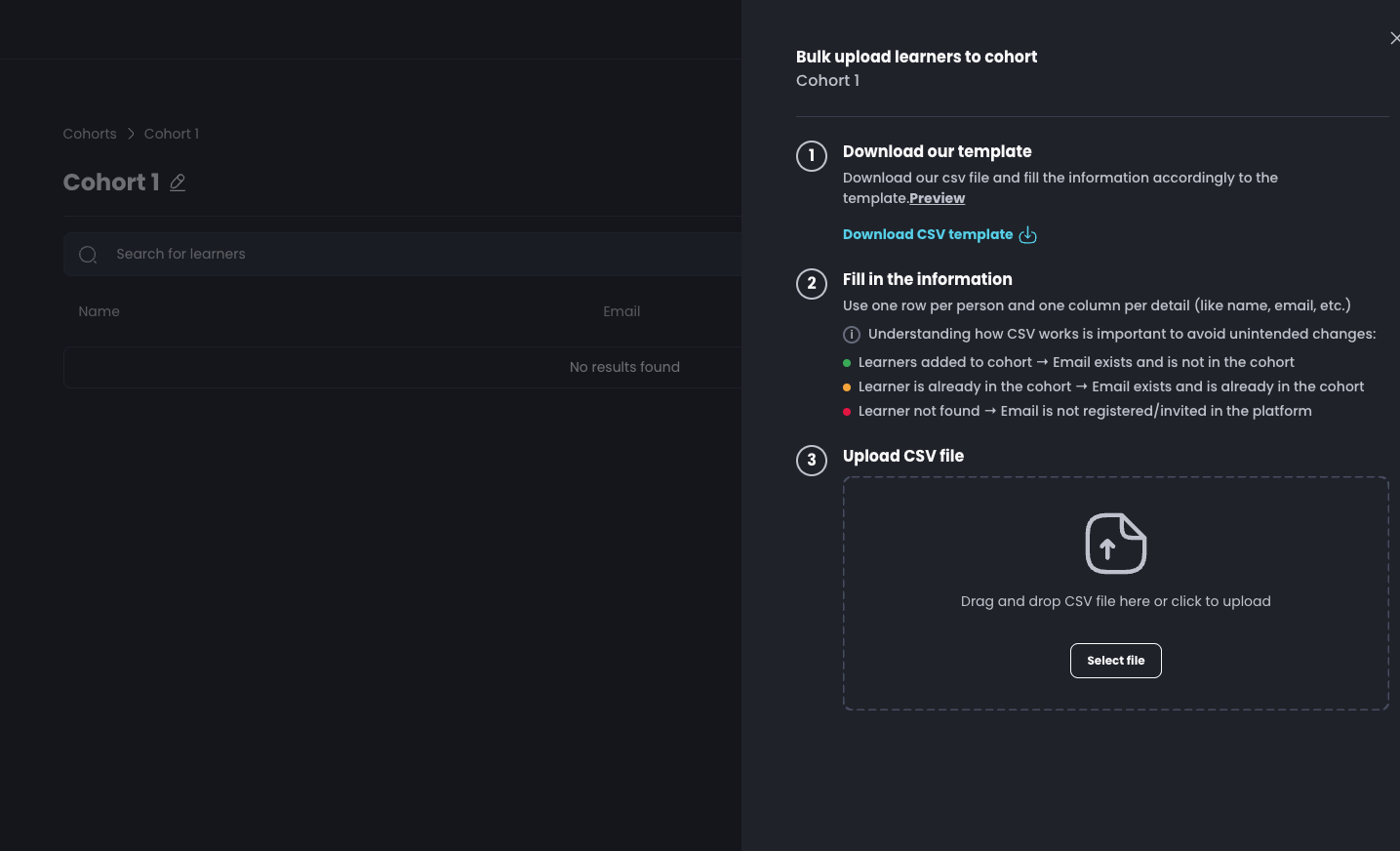
Create and populate cohorts in seconds! Upload a CSV to add members in the cohort in bulk instead of one-by-one.
Enhanced User Profile Management
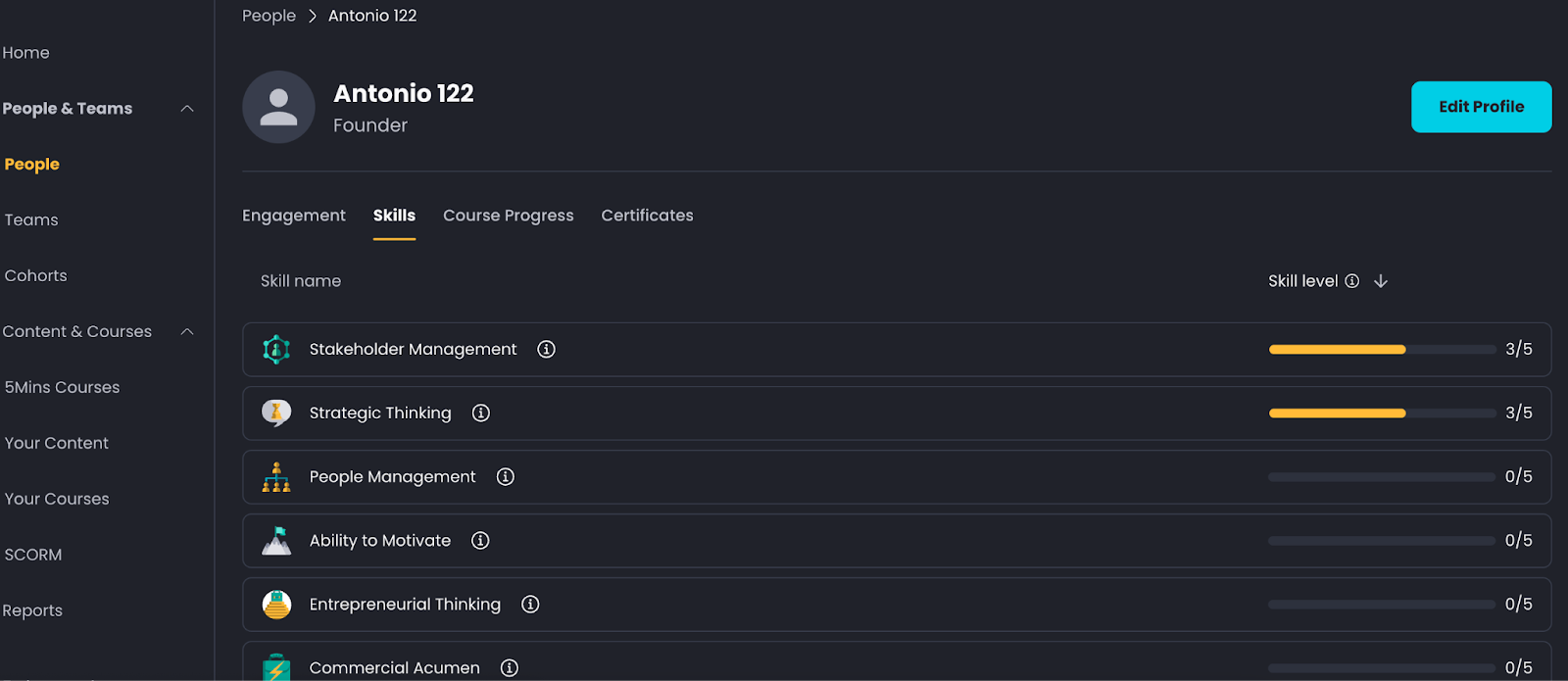
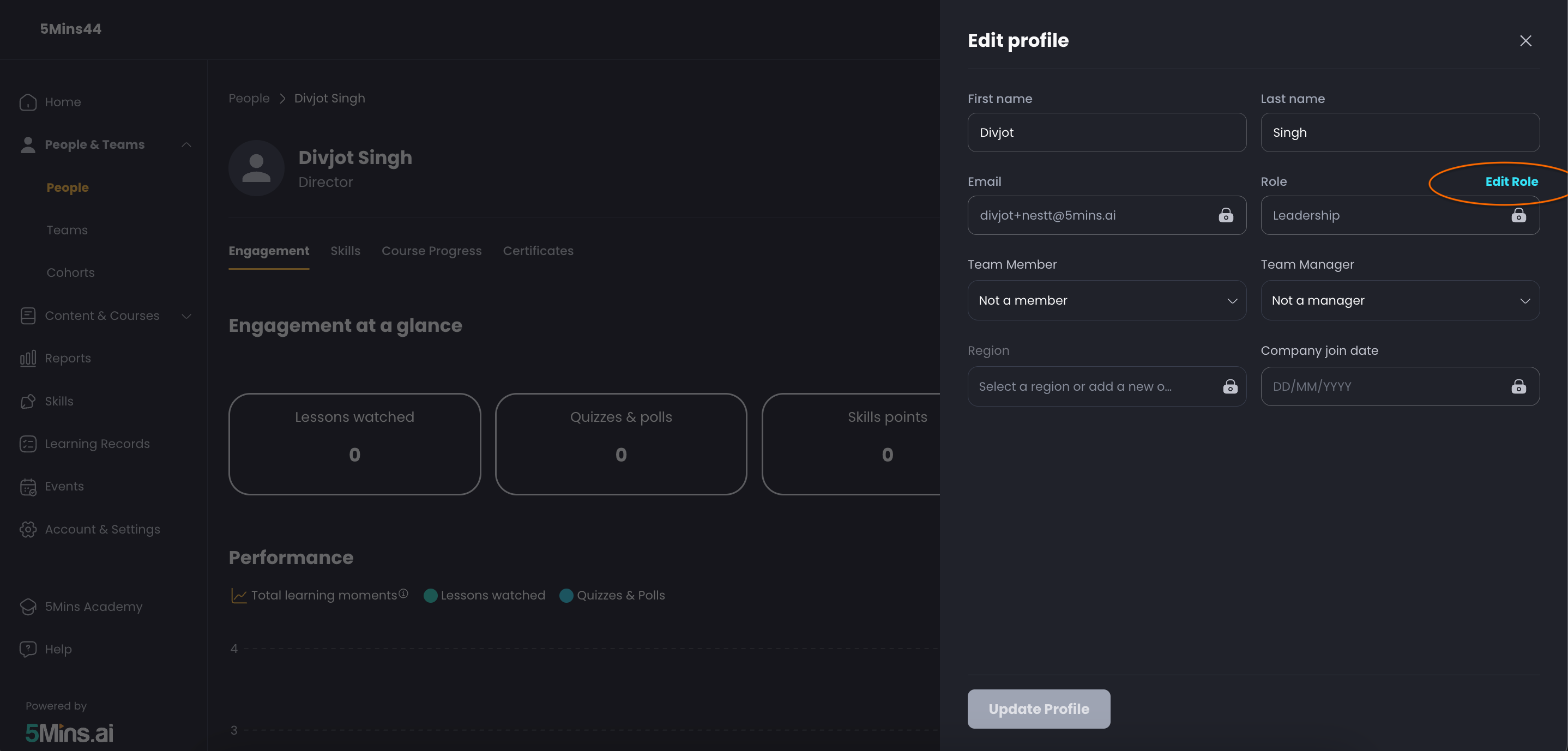
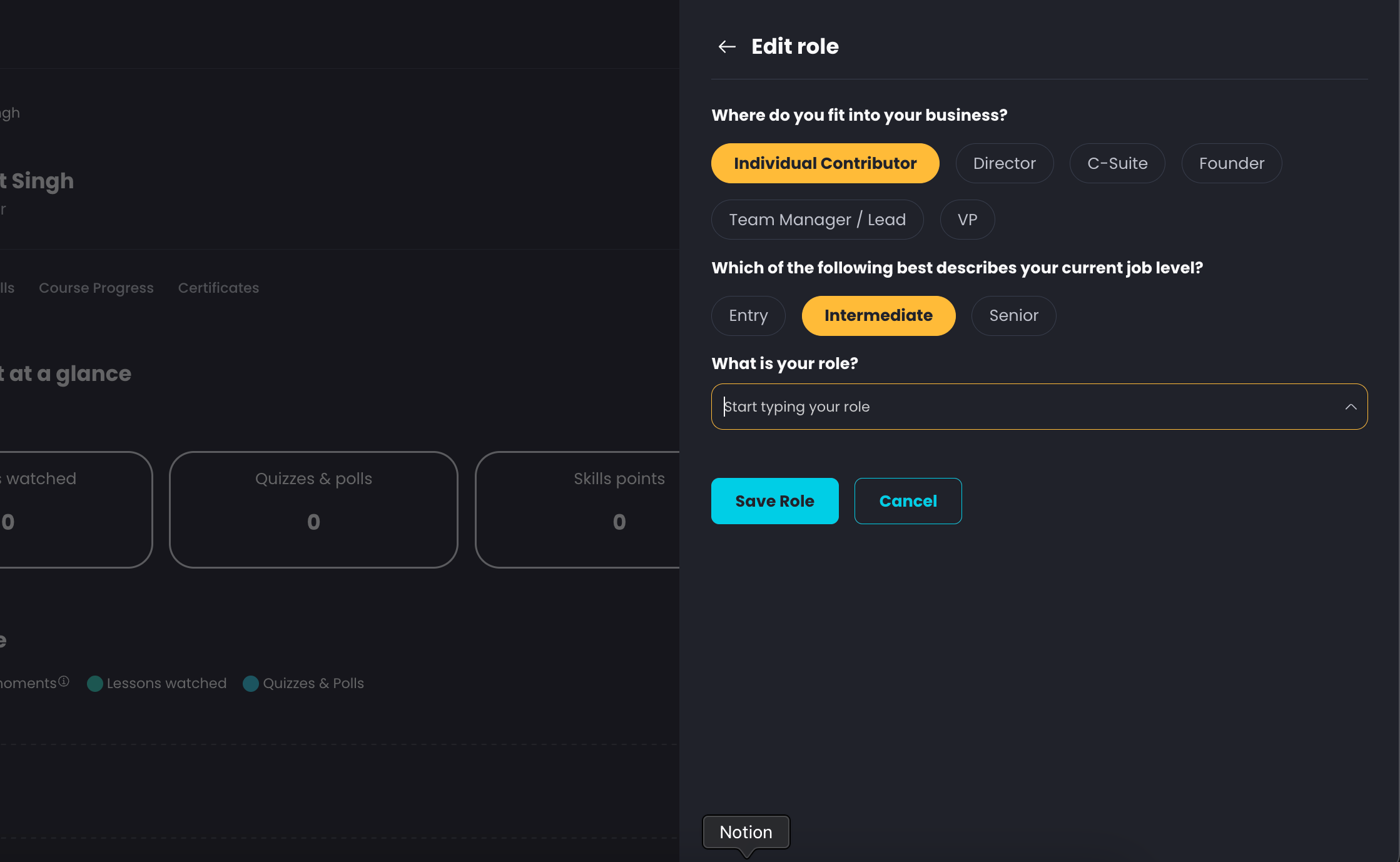
New Skills tab in user profile pages (Admin) displaying user competencies, plus quick-edit capabilities for roles and profiles directly from People page
Enhanced Workspace
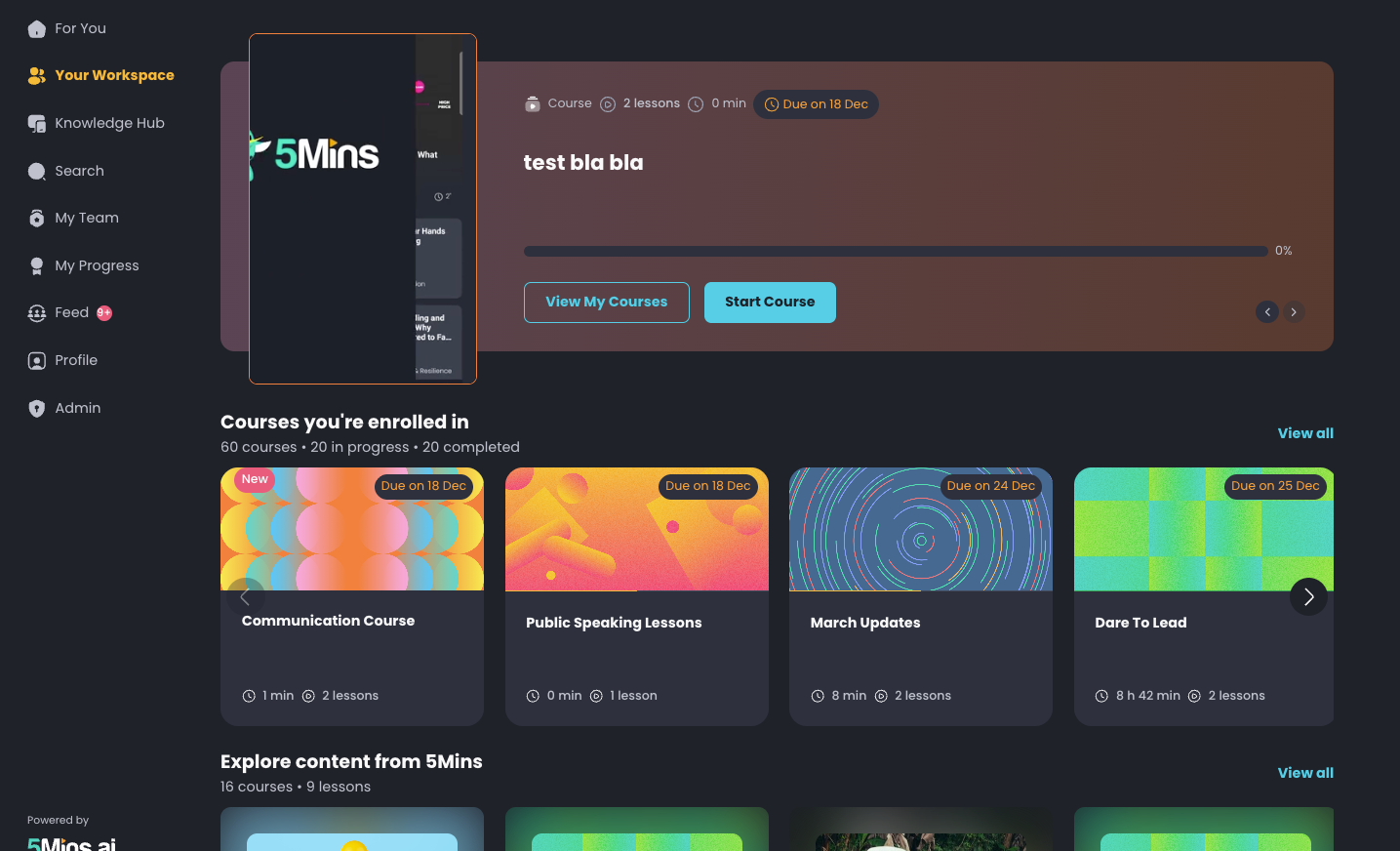
We've completely redesigned the workspace section on both Web and Mobile App, making it easier for learners to visit their content.
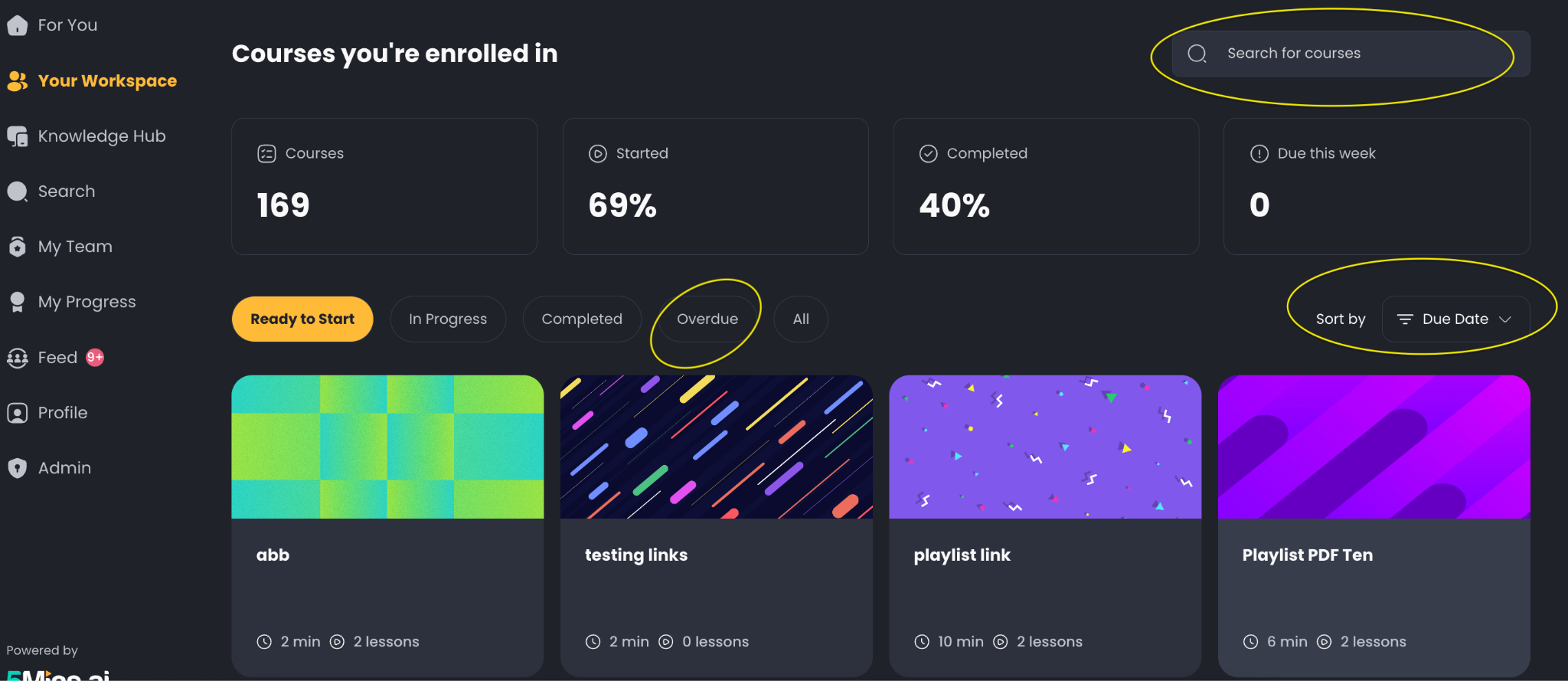
Course Search – Quickly find any course with the new search box
Overdue Labels – Easily spot expired course enrolments with clear visual indicators
Smart Sorting – Sort courses by progress or due date
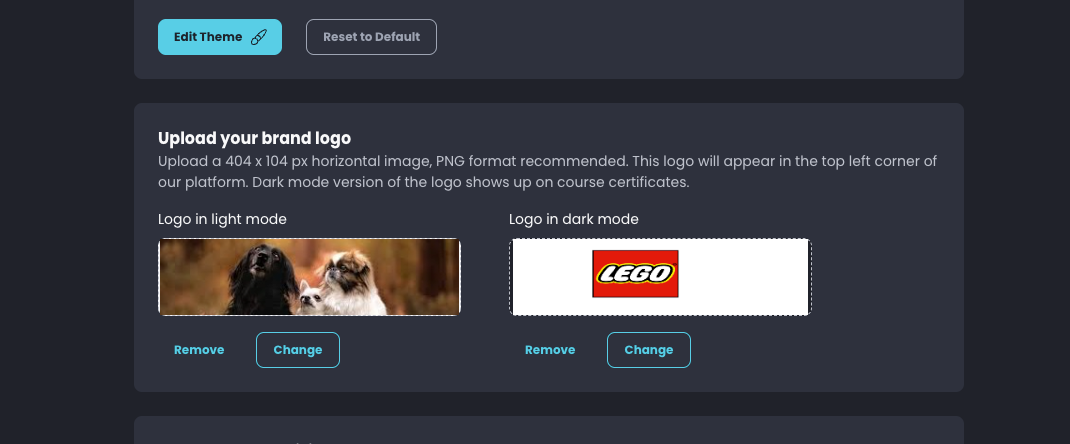
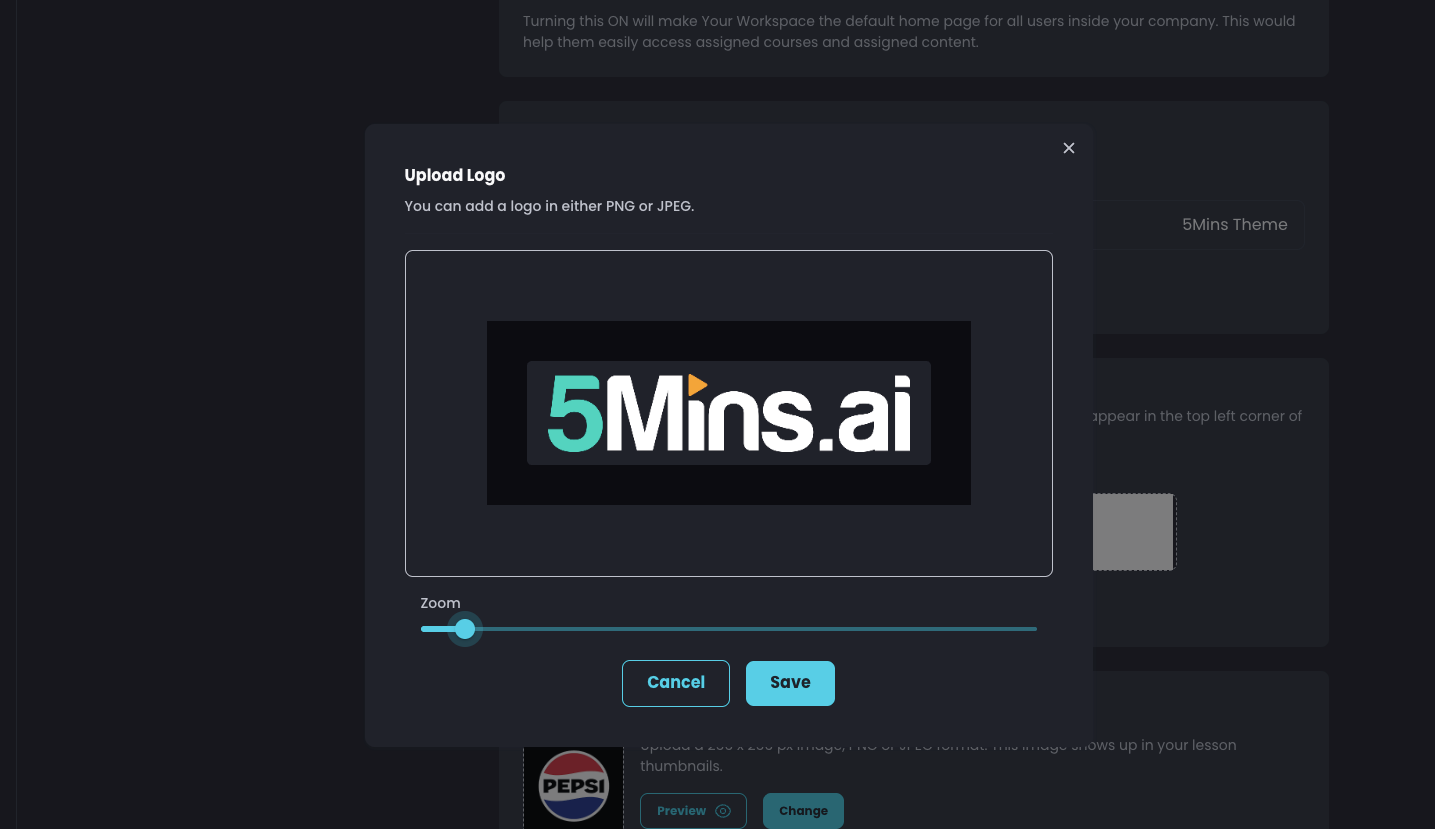
Logo Customisation
Upload separate logos for dark and light modes to ensure your branding looks perfect in any theme
Precise resize controls let you position and scale your logo exactly as needed
November 25th, 2025
We are excited to announce several new features and key updates designed to enhance course management, learner enrolment, and the overall learning experience on the platform.
1. Course Retake Quizzes Feature
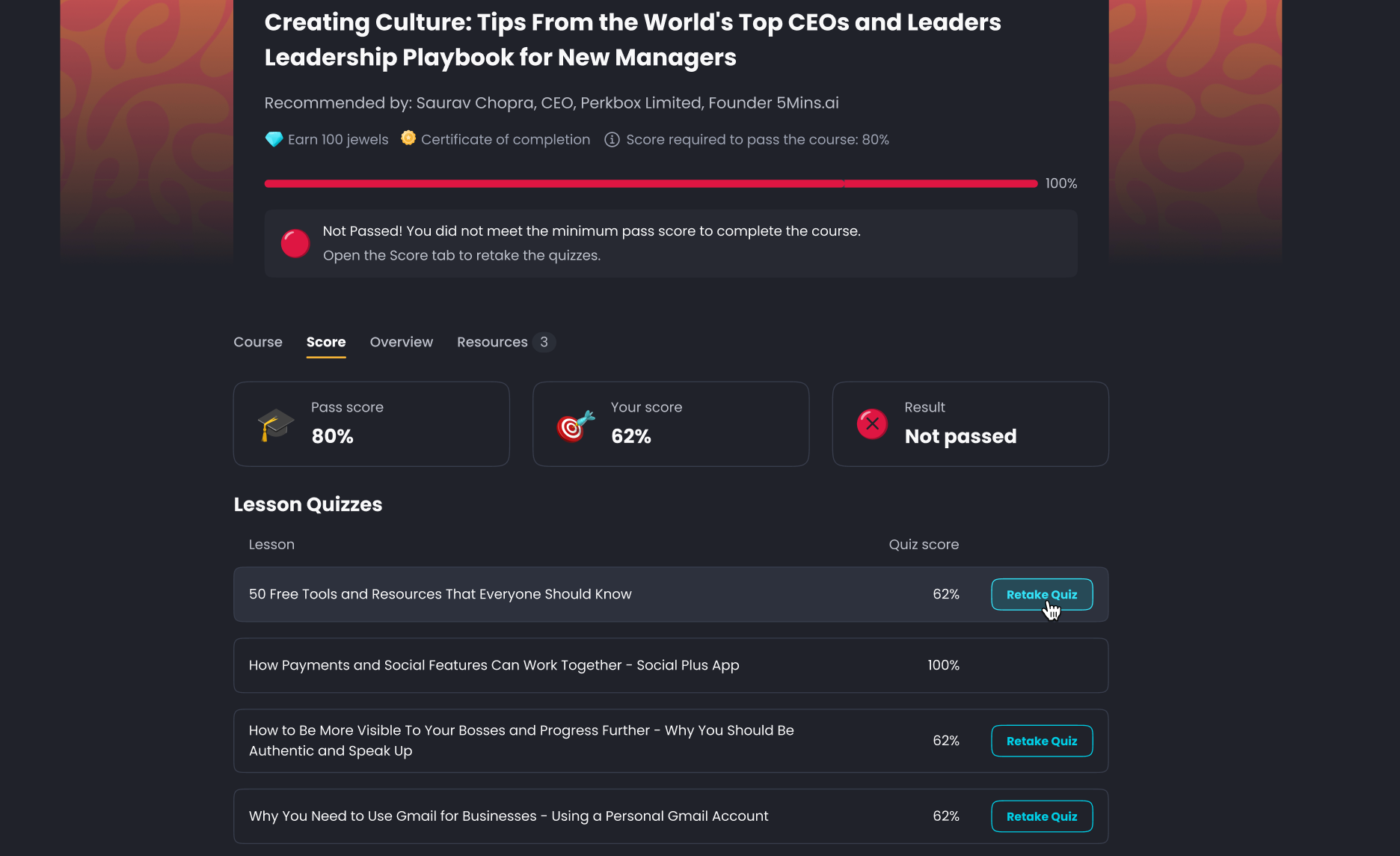
Admins can now allow learners to retake failed courses without a full re-enrolment, significantly improving the learning flow for compliance and refresher courses.
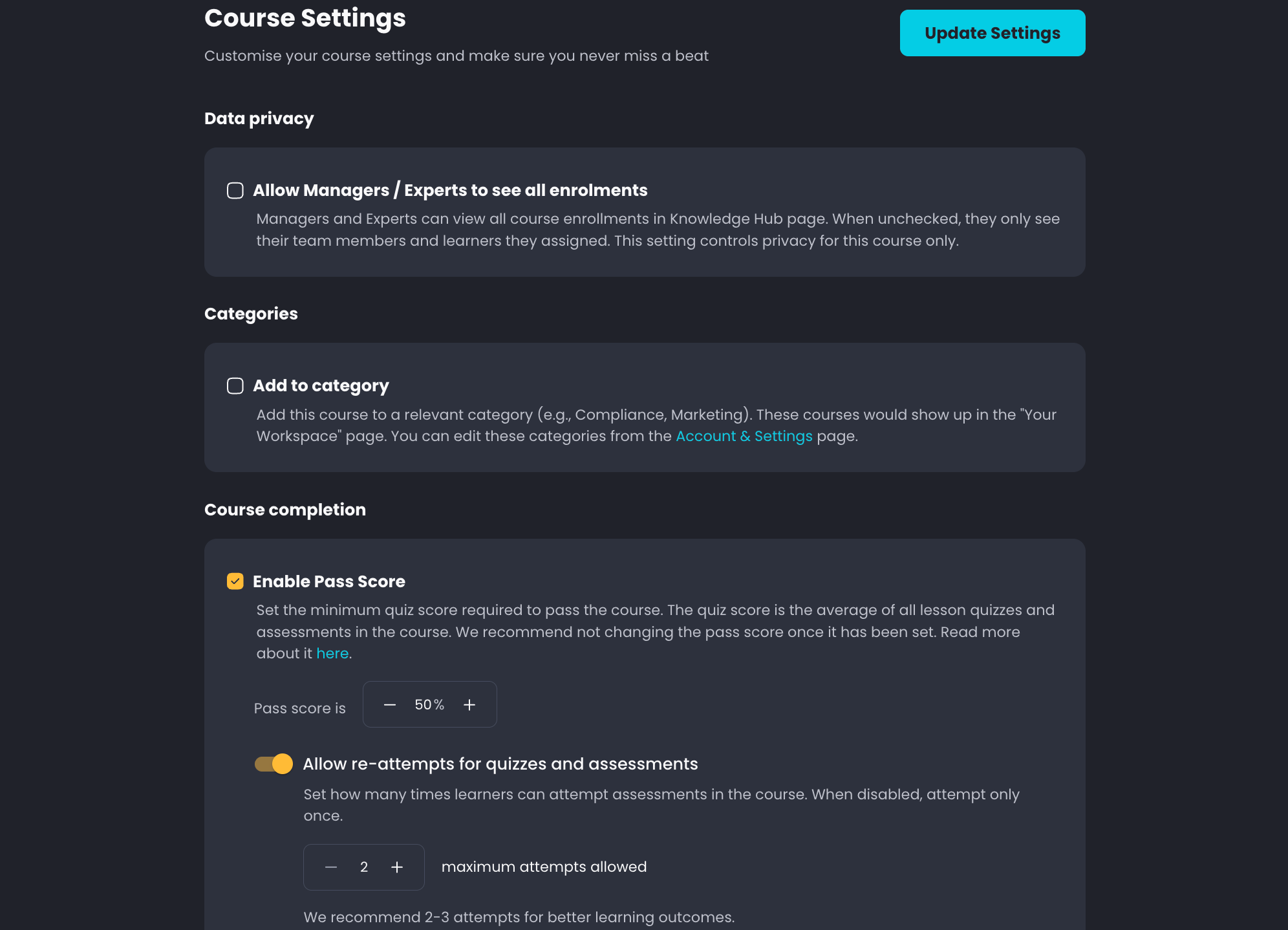
Functionality: If a course pass score is enabled, users are automatically granted two to three attempts to retake failed lesson quizzes, situational tests, and multiple-choice assessments.
Reporting: Admin scores are automatically aligned to the latest attempt.
Availability: Currently available on the web, with mobile app support planned for the next release.
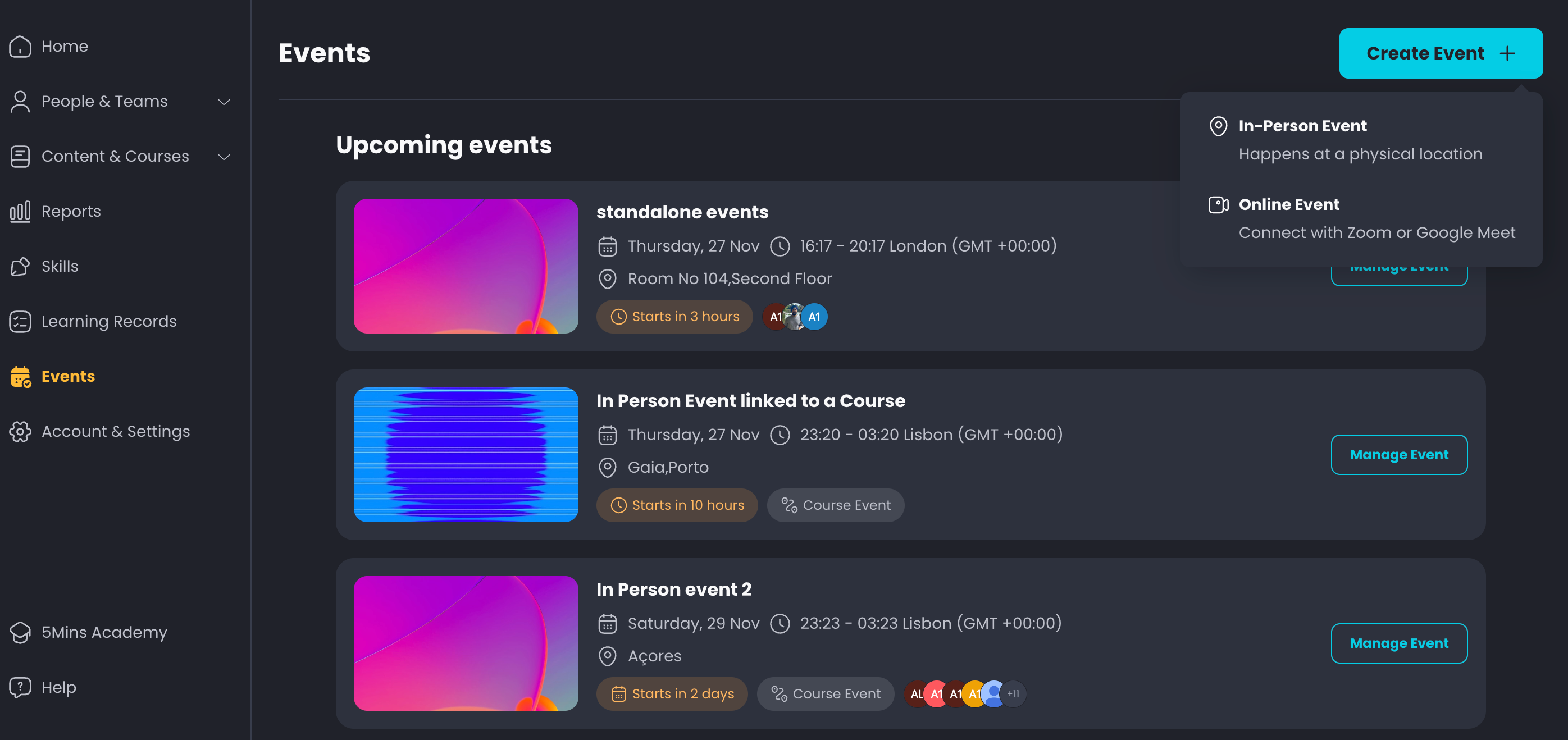
2. In-person Events
A dedicated Events feature has been released to manage both in-person and online events, supporting a blend of self-paced learning and live sessions.
Current Release: Standalone events can be created and managed now.
Attendance Tracking: Learners can select which session they want to attend, and Admins can manage attendance and download a report.
Coming Next: Course events will be introduced in the next release, enabling 'flipped classroom' functionality by embedding live events directly inside a course.
3. Audio as a Lesson Type
A new lesson type allows Admins to upload audio files directly to the platform, expanding content possibilities, particularly for sales enablement.
Admin Upload: Easily upload and create audio lessons.
Learner Experience: Users will see a waveform while the audio is playing and can listen in the background without needing to keep the platform open.
Use Case: This is especially useful for uploading sales calls or other recorded content for on-demand training, with the ability to auto-generate quizzes.
4. Sign up with Code
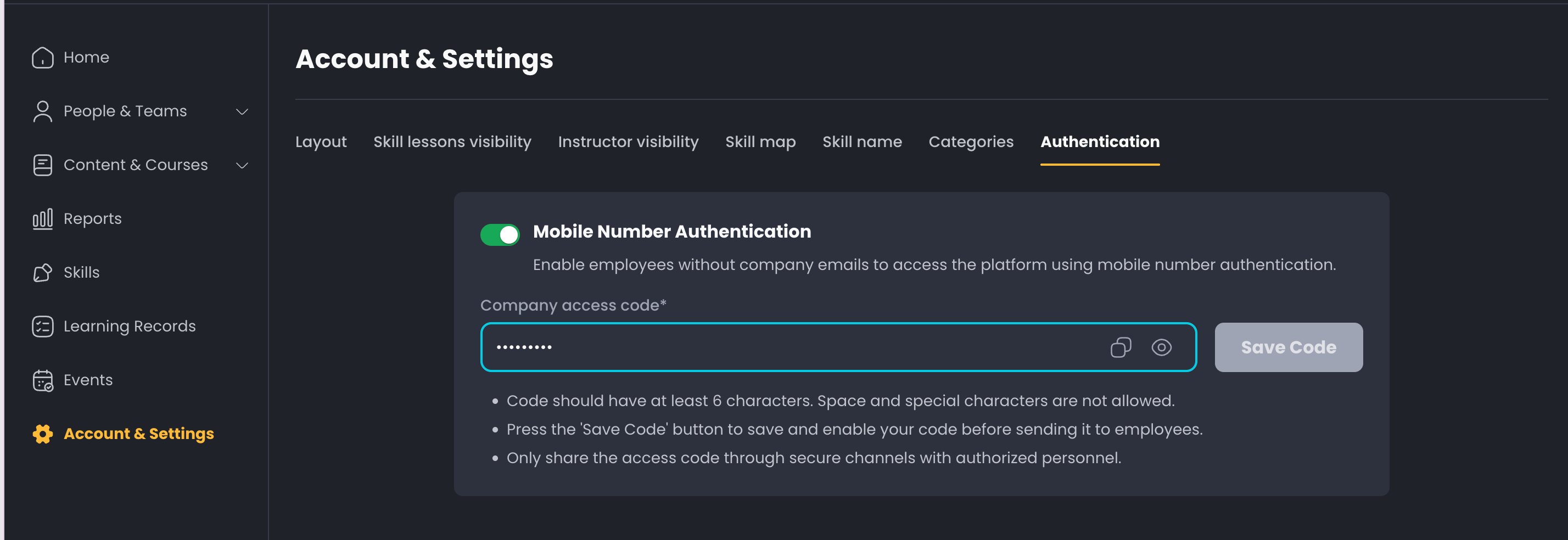
A new method for user registration is now available. Users can now sign up using a mobile number and an access code, eliminating the requirement for an email address. This is particularly helpful for companies where a lot of their employees do not user emails for their employment.
Simply head to Account & Settings to activate “Mobile Number Authentication”
5. Enhanced Learner Management & User invitations
Cohorts: Cohorts are now under People & Teams section for better visibility. This allows Admins to easily create and add learners to a cohort for better management and reuse across courses.
Optional Fields for Users: When inviting users, new optional fields for "region" and "join date" are now available. These fields can be included in the CSV template for bulk uploads to simplify automation processes and reduce the need for external integrations.
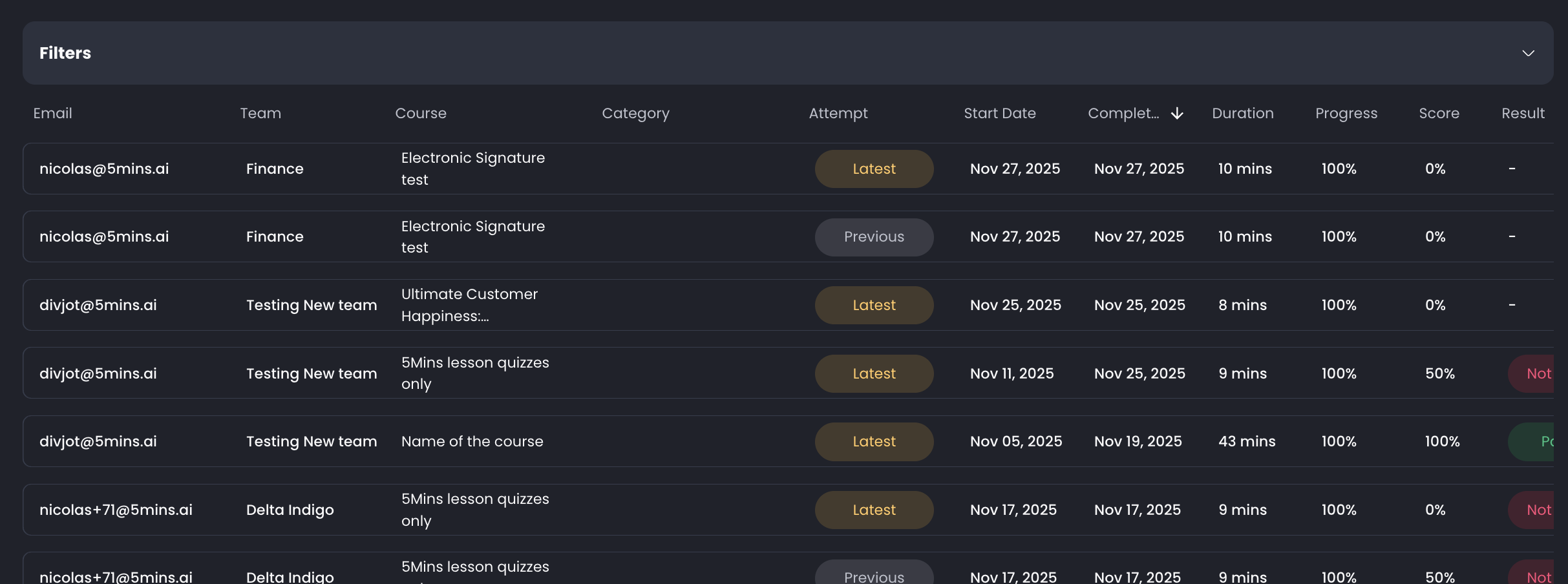
Learning Records Update: Learning records now include an "attempt" label to clearly indicate if a record is the latest enrolment or a previous one, which helps to address confusion when a user has multiple enrolments in the same course.
October 9th, 2025

We're excited to share the latest updates to your 5Mins platform! This release includes powerful new features designed to enhance collaboration, streamline course management, and improve the learning experience for your teams.
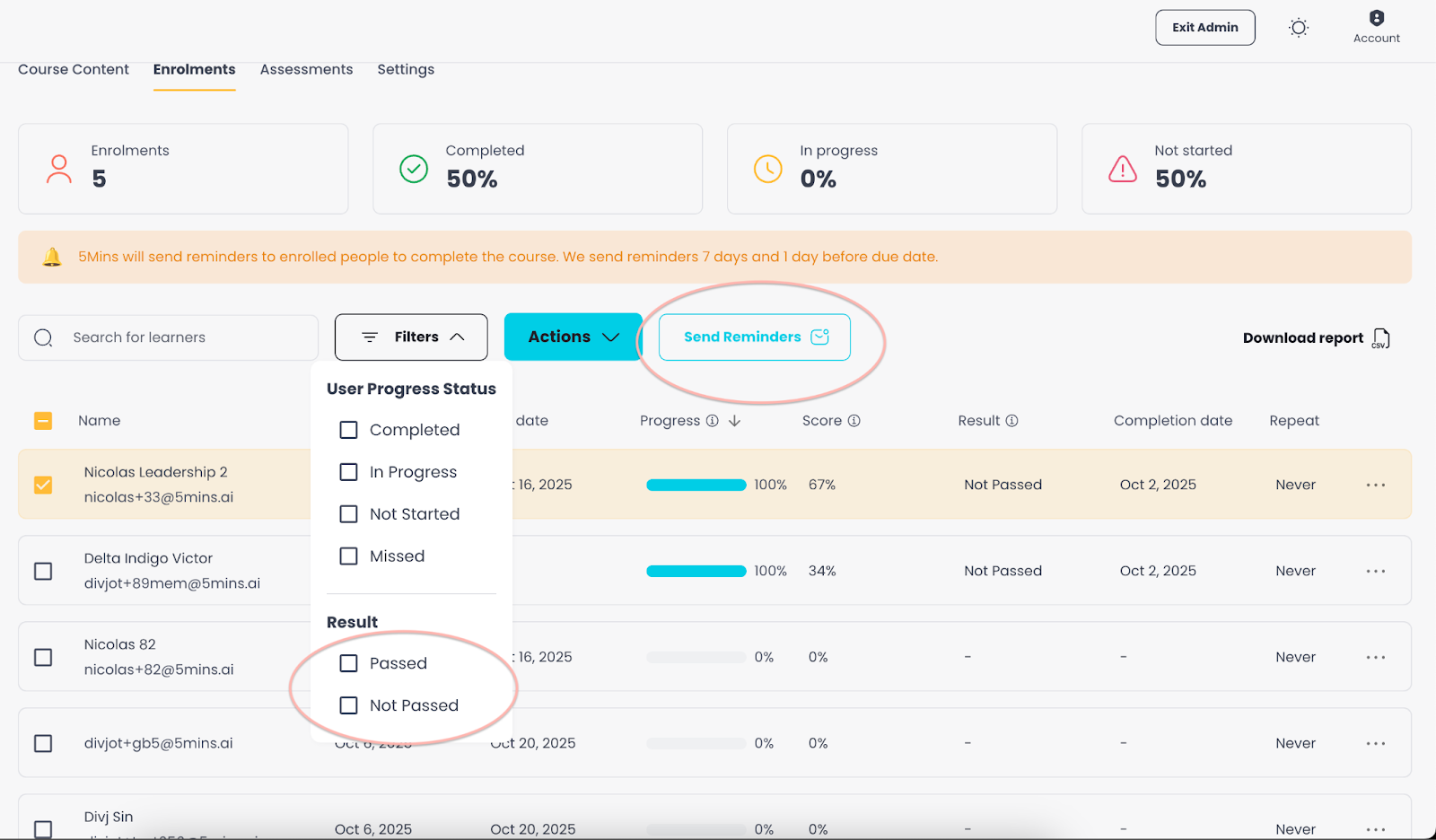
Course Reminders and Notifications
When updating a course that has been completed by learners, notify those users about new content
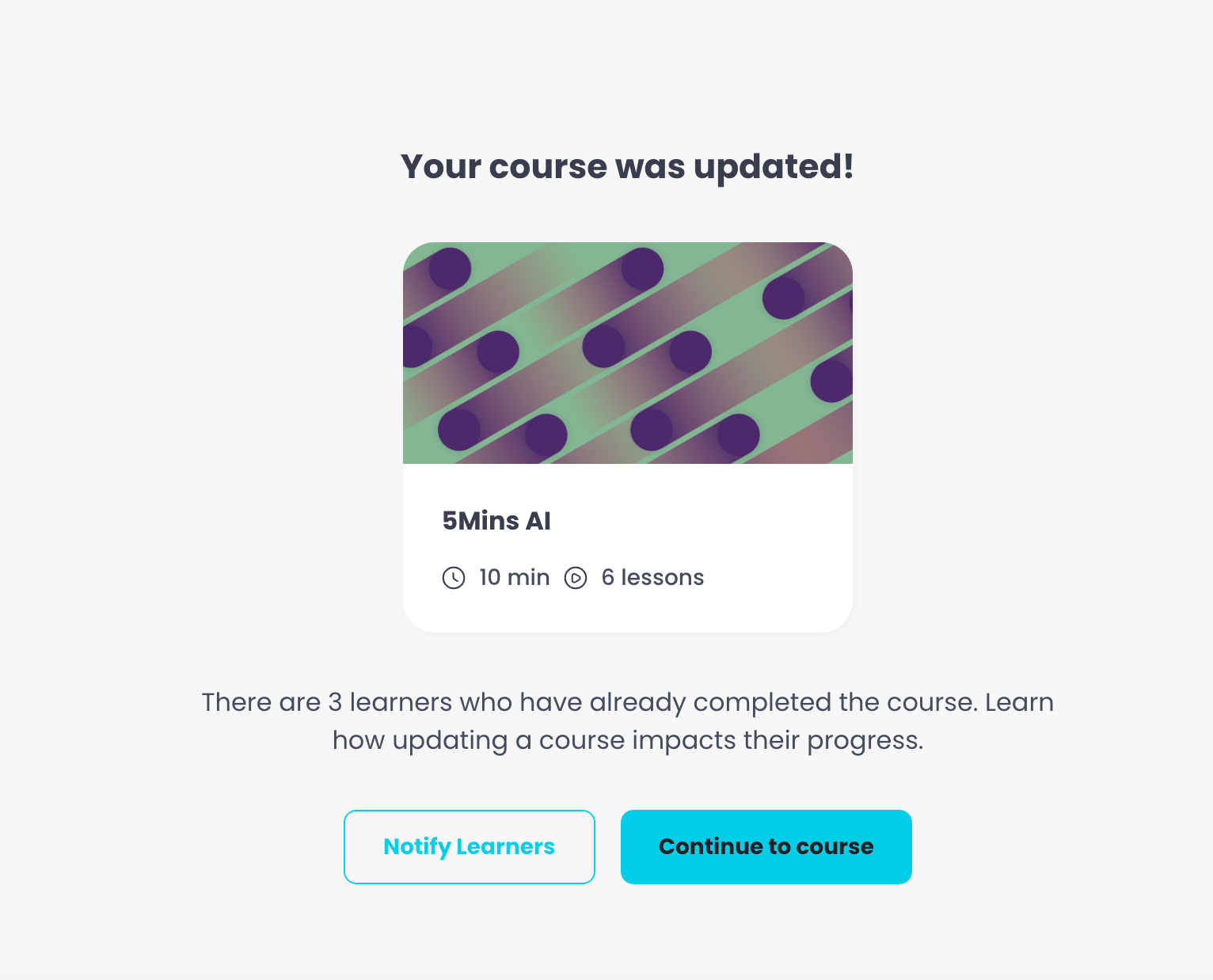
Send targeted reminders to learners based on their course progress status (not started, in progress, completed, passed/not passed), making communication more relevant and effective
Shared Content Library Across Roles
Managers and Subject Experts can now easily view and utilise lessons uploaded by their colleagues, fostering a more collaborative environment.
When creating courses, access all lessons uploaded by everyone in the system
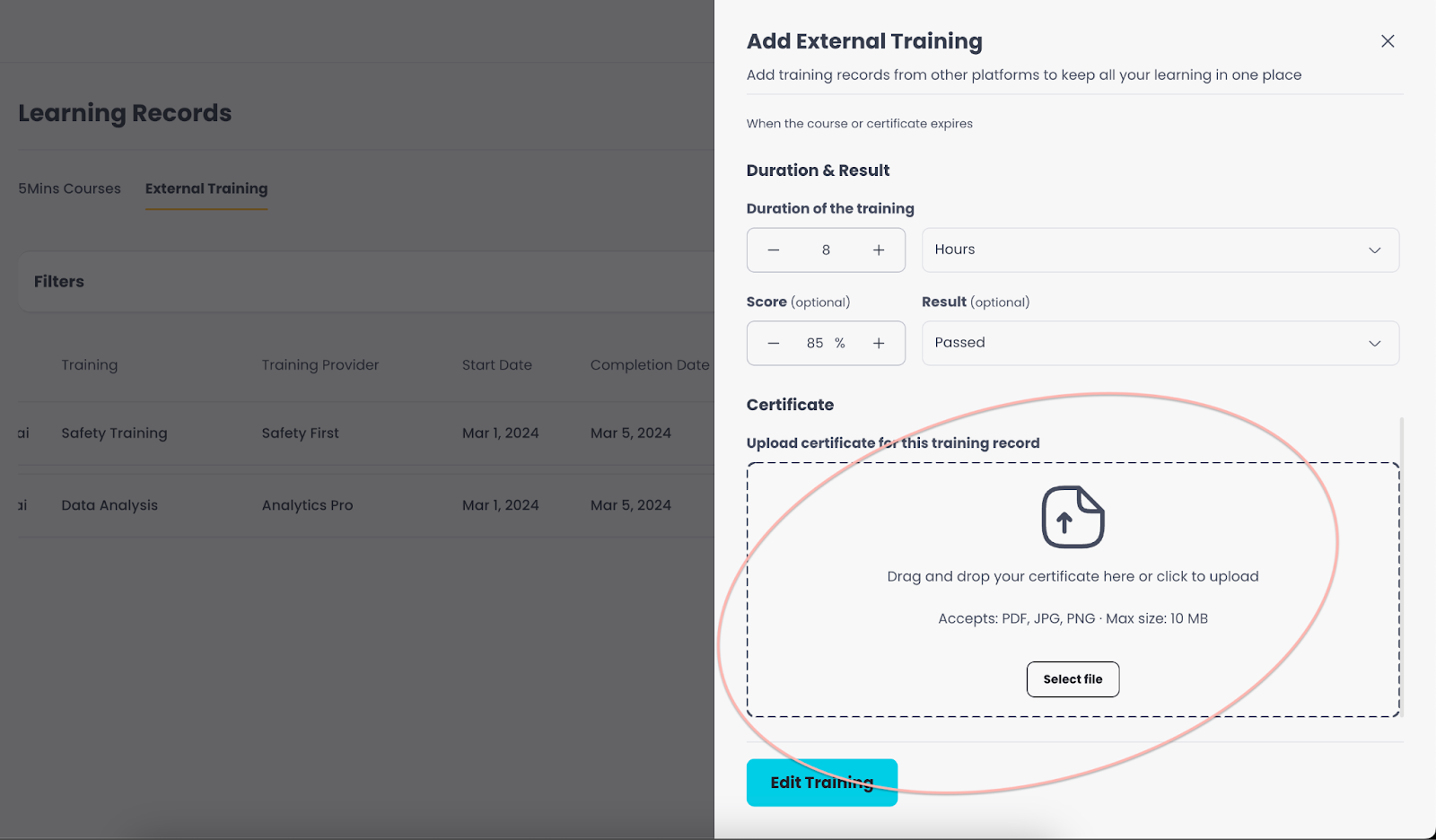
External Trainings certificate upload
Upload certificates (PDF, PNG, or JPEG) when adding or editing individual training records on external trainings in Learning Records
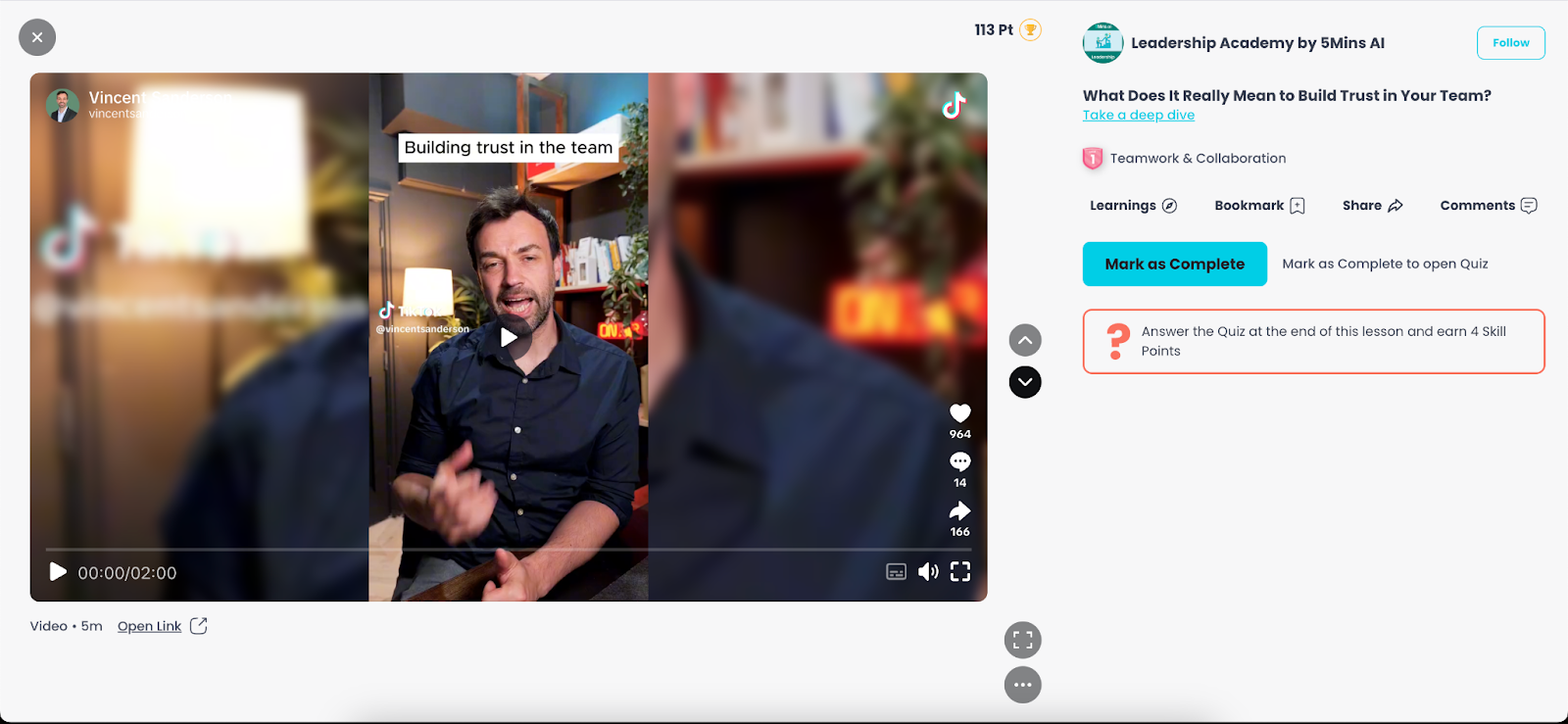
TikTok Video Integration
Add TikTok links directly to create lessons and TikTok lessons to courses
TikTok content plays seamlessly within the platform feed, just like YouTube / Loom videos
AI quiz generation is also available for this type of content!
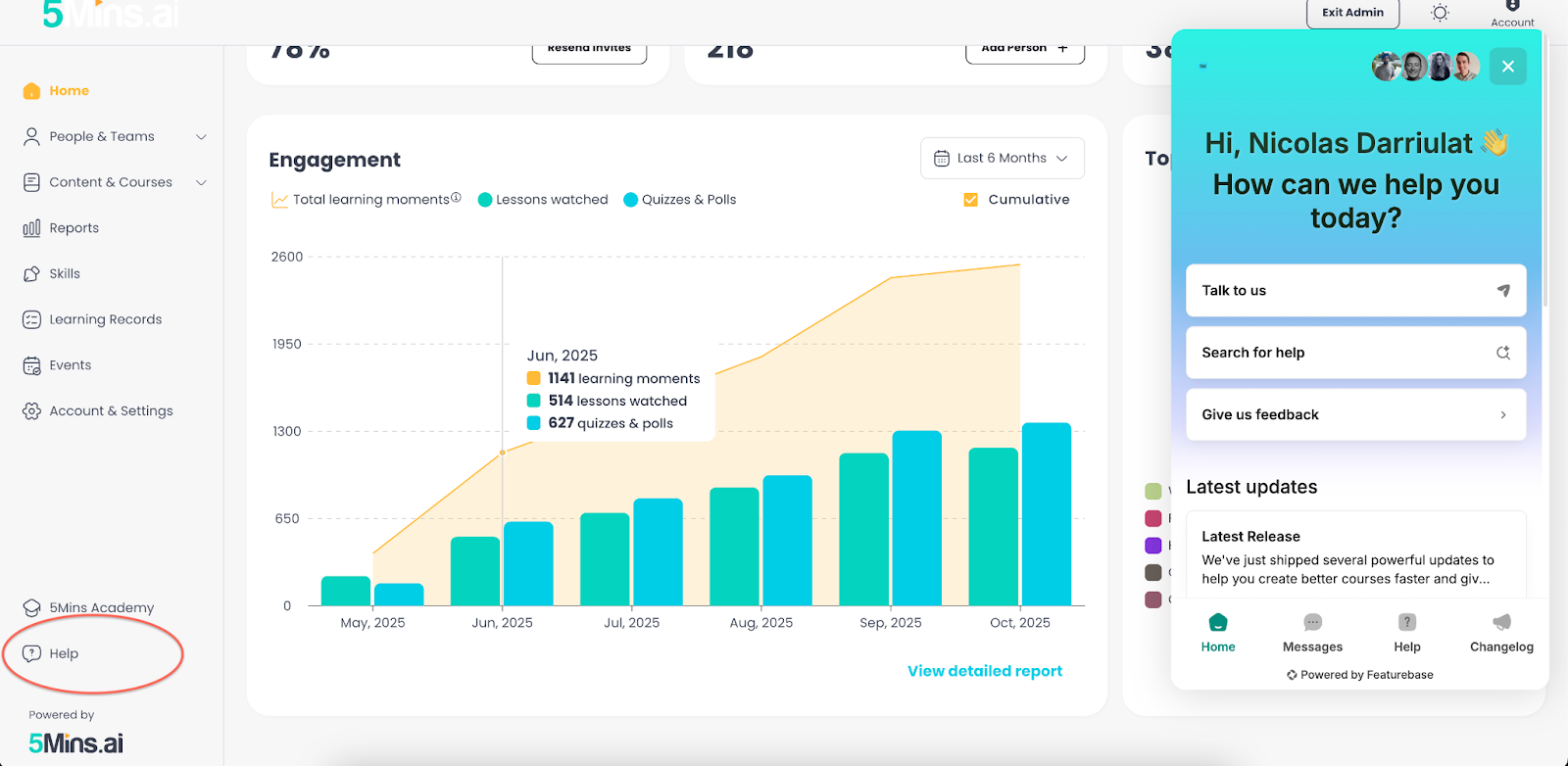
Integrated Help Center with AI Chatbot
New help section accessible from the admin panel
AI-powered chatbot that answers questions based on our help articles and provides instant answers
Users can escalate to human support when needed
If you have any questions or need assistance with any of these new features, please don't hesitate to reach out to our support team: support@5mins.ai
Happy learning!
The 5Mins Team